Review rounds

Give every feedback round a clear start and finish

Pause comments while your team works, let reviewers tell you when they're done, upload the next version and archive projects when they ship.

  • Pause comments
  • Finish review
  • Versions and archive
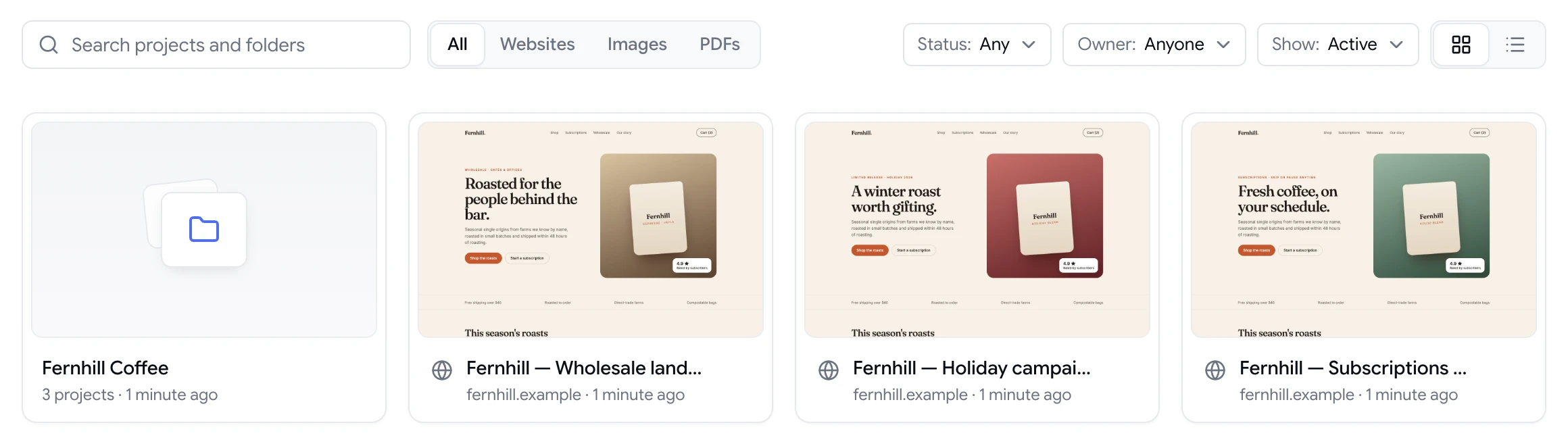
ClientTweak dashboard with a client folder and website project previews
The problem

Endless feedback is just as bad as no feedback

  • New comments keep arriving while you're still fixing the last batch.
  • You never know when a client has actually finished reviewing.
  • Version 3 and version 4 of a PDF live in separate, confusing projects.
  • Finished projects clutter the dashboard next to active work.
Highlights

Tools for running rounds, not just collecting comments

Pause comments

Stop new comments on a project while your team works through the current round.

Finish review

Reviewers click Finish review when they're done, and your team is notified by email.

New versions

Upload a new version of a PDF or image to the same project and keep its history.

Archive projects

Archive finished projects to keep the dashboard focused on what's in progress.

Folders

Group projects by client, campaign or release so related reviews sit together.

Resolved history

Resolved comments stay on the project, giving you a record of what changed in each round.

Know when a round is actually over

The most common question in any review is “are you done?”. ClientTweak answers it with Finish review. When a signed-in reviewer has left all their feedback, they click Finish review and ClientTweak emails your team — or a specific address — to say the round is complete.

Now you can start on the fixes knowing nothing else is about to arrive, instead of checking the project every hour for late comments.

  • Reviewers mark a round as finished
  • Your team is notified by email
  • Start fixes with the full picture
ClientTweak review screen: a client's homepage with numbered comment pins and the comment list beside it

Pause comments while you work

Once a round is in, you can pause comments on the project. Reviewers can still open the project and reply to existing threads, but they can't start new comments until you're ready. It stops the moving-target problem, where a client adds new requests while you're halfway through the last ones.

When the fixes are live, resolve the comments, turn commenting back on and send the link for the next round.

  • Pause and resume comments per project
  • Replies to existing threads still work while paused
  • Resolve the round before opening the next one

Versions, folders and archive

For PDF and image projects, upload the next version to the same project rather than creating a new one. The history stays together, so it's easy to see what changed between rounds.

Folders keep related projects together — one per client, campaign or release — and archiving moves finished work out of your way without deleting it. You can filter the dashboard to show active, archived or all projects.

  • Version uploads for PDFs and images
  • Folders for clients, campaigns or releases
  • Archive finished projects, restore them any time
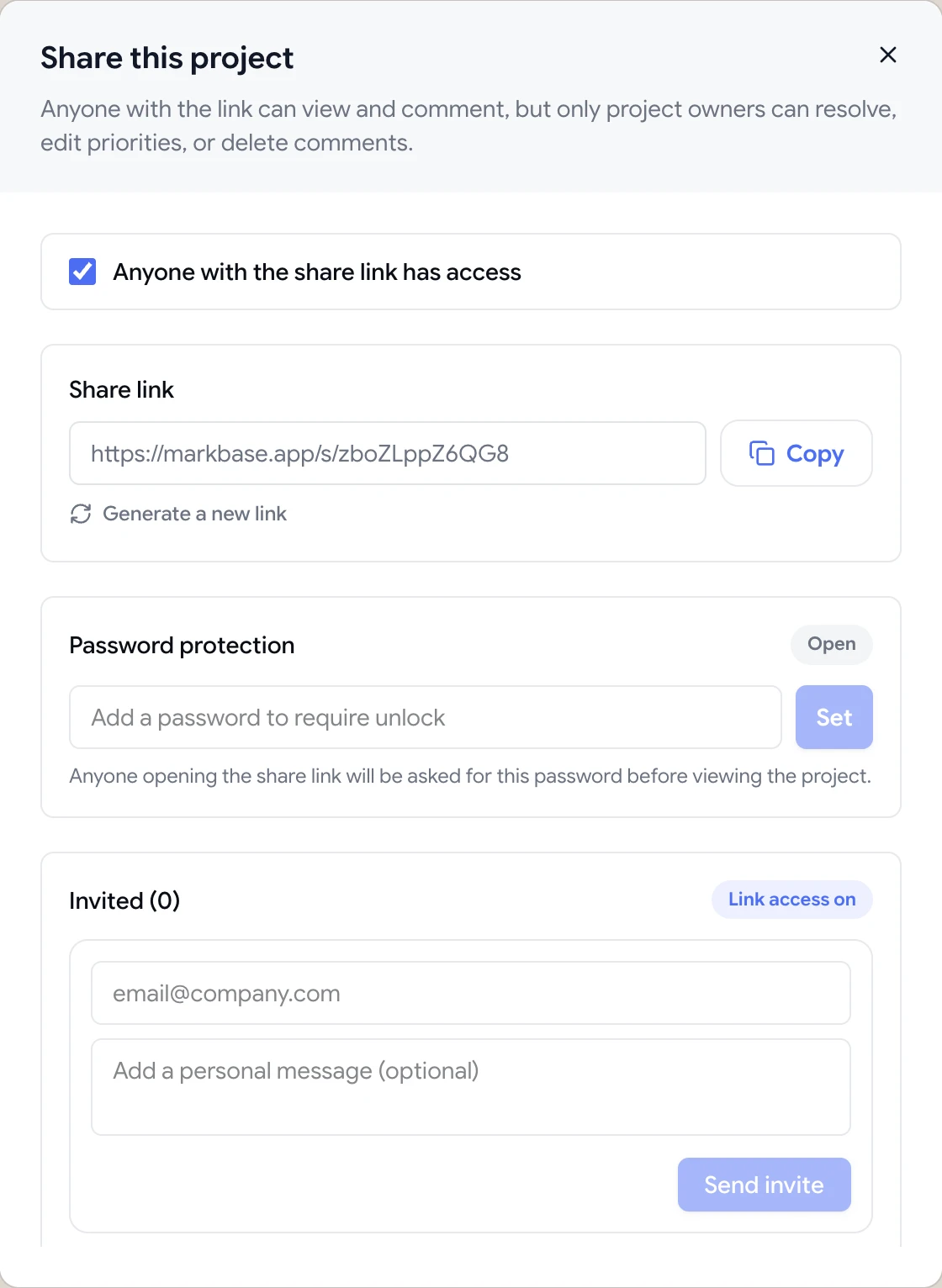
Share dialog with the guest review link, password protection and email invites

A simple rhythm for every project

Rounds work best when everyone knows the rules. Before the first review, tell reviewers what you want feedback on — copy, layout, functionality — and ask them to leave everything in one pass, then click Finish review. Comments that arrive in one batch are much easier to plan than a steady trickle over two weeks.

Once the round is in, pause comments, triage by priority and assign each comment. Resolve comments as fixes go live so reviewers can see progress. Then reopen commenting for a shorter confirmation round focused on the changes, and archive the project when it ships.

  • Set the scope of each round up front
  • Collect everything in one pass, then pause
  • Resolve as you fix so progress is visible
  • Finish with a short confirmation round
How it works

A clean review round

  1. 1

    Share the review

    Send the link and let reviewers comment.

  2. 2

    Reviewer finishes

    They click Finish review and your team is emailed.

  3. 3

    Pause and fix

    Pause comments, assign the work and resolve as you go.

  4. 4

    Next version or archive

    Upload the next version, or archive the project when it ships.

FAQ

Frequently asked questions

How do I know when a client has finished reviewing?

Signed-in reviewers can click Finish review once they've left their feedback. ClientTweak then emails your team, or a specific address, to say the review is complete.

Can I stop new comments on a project?

Yes. Pause comments on a project while your team works through a round. Reviewers can still reply to existing threads, but can't add new comments until you resume them.

Can I upload a new version of a file?

Yes. PDF and image projects support new version uploads, and the project keeps its version history.

What happens when I archive a project?

Archived projects are moved out of your active dashboard but not deleted. Filter the dashboard by archived projects to find them again.

How should I organise review projects?

Most teams create a folder per client or campaign, with one project per page, site or file. Folders can also be shared with clients who have the client role.

How many review rounds should a project have?

Fewer than you think, if each round is clear. Ask for all feedback in one pass, pause comments while you fix, and confirm changes before opening the next round.

Get started

Run rounds that actually end.

Clear starts, clear finishes and a record of every change along the way.

  • Unlimited guest reviewers
  • Nothing to install
  • One flat price