For developers

Feedback you can actually act on

“The button is broken” isn't a ticket. With ClientTweak, every comment arrives pinned to the element, with a screenshot of what the reviewer saw, their viewport size and a link you can drop into your tracker.

  • Element selector on every pin
  • Viewport and scroll saved
  • Jira issues from comments
ClientTweak review screen: a client's homepage with numbered comment pins and the comment list beside it
The problem

Most of a bug fix is figuring out what the reporter meant

  • Feedback arrives as a forwarded email with no URL.
  • You can't reproduce it because you don't know what width they were on.
  • The same issue is reported three times in three places.
  • Non-technical reviewers can't tell you which element they mean.
  • Comments in the review tool never make it into your sprint.
Highlights

Context without the back-and-forth

Everything you'd normally have to ask for is attached to the comment.

Element anchoring

Pins store a CSS selector and offset, so they attach to the element rather than a pixel position.

Viewport screenshot

Each comment can save a screenshot of what the reviewer was looking at when they commented.

Viewport and scroll

The viewport size and scroll position are saved with each comment, so you can match the reviewer's view.

Straight to Jira

New comments can create Jira issues with the page URL, screenshot link and a permalink back to the pin.

Assigned to you

Comments can be assigned to a teammate and prioritised, so you know what's yours and what's urgent.

Nothing to install

ClientTweak loads the site through a proxy. No script on your site and no extension for reviewers.

Know exactly which element, at exactly which width

When a reviewer clicks to comment, ClientTweak records the element they clicked (as a selector and offset), the page they were on, their viewport size and scroll position, and can capture a screenshot of what they could see. Open the comment and you're looking at the same thing they were.

That's usually enough to reproduce a layout bug without a single follow-up message. If it isn't, reply in the thread and the reviewer gets notified.

  • Selector and offset for every pin
  • Viewport size and scroll position
  • Screenshot of the visible viewport
A comment thread with replies, pinned to a button on the page

Review feedback lands in your tracker

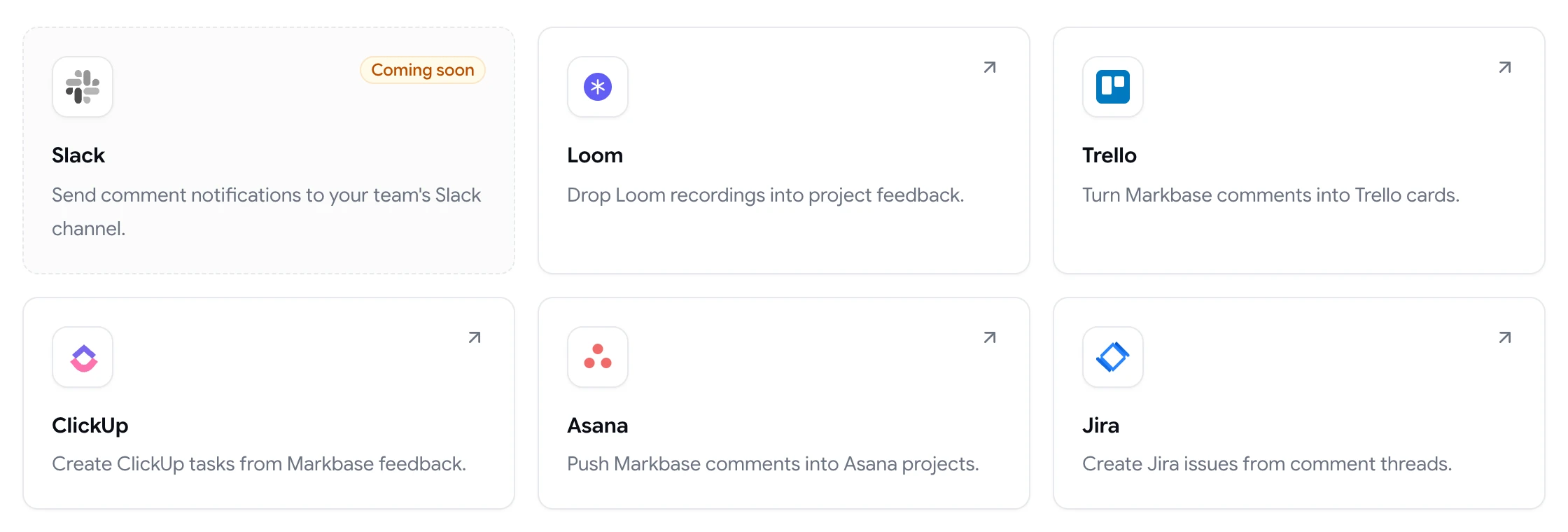
Connect Jira Cloud and new comments can create issues in the project you choose, with the page URL, a screenshot link and a permalink back to the comment. Prefer Asana, ClickUp or Trello? Those work the same way.

Integrations react to comment events (created, resolved and deleted), and failed deliveries are retried automatically or can be retried by hand.

  • Jira, Asana, ClickUp and Trello
  • Created, resolved and deleted events
  • Automatic and manual retries
ClientTweak integrations page listing Loom, Trello, ClickUp, Asana and Jira, with Slack coming soon

Test the responsive bug before you close it

Switch the review between desktop, tablet and phone to check the layout the reviewer reported. Comments are scoped to the width they were left on, so phone-only issues stay with the phone layout.

When it's fixed, resolve the comment. The reviewer sees it's done and you have a record of what changed.

Phone-width preview of a website inside ClientTweak

Less triage, more shipping

When feedback comes from clients, designers and stakeholders, a developer often ends up as the person who has to turn it into something actionable. That means chasing URLs, asking which button, and guessing at screen sizes. ClientTweak moves that work to the moment the feedback is given.

Reviewers can only leave a comment by clicking on the page, so every comment has a location. Viewport size and scroll position are attached automatically. Duplicates are easier to spot because existing comments are pinned in place for everyone to see. And priorities and assignees mean you can see what's yours and what's urgent without a stand-up.

When you need to push back or ask a question, reply on the pin. The reviewer is notified, and the decision stays next to the code change it's about.

  • Every comment has a location
  • Fewer duplicate reports
  • Questions answered on the pin
How it works

From comment to merged fix

  1. 1

    Reviewer pins it

    They click the element and describe the problem.

  2. 2

    Issue is created

    The comment becomes a Jira issue (or task) with the context attached.

  3. 3

    You reproduce it

    Match the viewport and scroll position from the comment.

  4. 4

    Resolve the pin

    Mark it resolved so the reviewer knows it's fixed.

FAQ

Frequently asked questions

Do I need to add a script or snippet to my site?

No. ClientTweak loads your site through a reverse proxy and adds the comment layer on top. Nothing is installed on the site itself.

What technical details are captured with each comment?

The element selector and offset, the page, the viewport size and scroll position, and optionally a screenshot of the visible viewport. Browser and operating system aren't captured.

Does ClientTweak capture console logs?

No. ClientTweak focuses on visual feedback: the element, the page and what the reviewer saw.

Can comments create Jira issues automatically?

Yes. Connect Jira Cloud and choose a project. New comments create issues with the page URL, a screenshot link and a permalink back to ClientTweak.

Can we review localhost or staging environments?

ClientTweak needs to reach the site by URL. Public staging URLs work, as do tunnels that expose a local site on a public address. Pages behind a login form or HTTP authentication aren't supported.

Is there an API?

Not publicly. Use the Jira, Asana, ClickUp or Trello integrations to get feedback into your tools.

Can ClientTweak review single-page apps?

ClientTweak loads the site through a proxy and works with pages it can reach by URL. Use Browse mode to navigate the app, then switch to Comment mode to pin feedback. Highly dynamic interfaces may need a Loom recording attached to the comment to show the full interaction.

Who can resolve comments?

Workspace members can resolve, reopen, prioritise, assign and delete comments. Guests can only comment and reply.

Get started

Spend your time fixing, not decoding.

Get feedback pinned to the element with the context to reproduce it.

  • Unlimited guest reviewers
  • Nothing to install
  • One flat price