Ruttl alternative

The Ruttl alternative for teams that keep growing

Ruttl covers websites, web apps, mobile apps, images and PDFs, priced per user. ClientTweak focuses on websites, PDFs and images, and charges one flat price no matter how many people join your workspace.

ClientTweak

vs
R

Ruttl

The short answer

ClientTweak or Ruttl?

Choose ClientTweak if…

  • Your team is larger than a few people and per-user pricing adds up.
  • You'd like a one-time lifetime plan instead of a subscription.
  • You want a client role that limits each client to the folders you share.
  • Your team works in Jira, Asana, ClickUp or Trello and you want feedback to land there.

Choose Ruttl if…

  • You want a free plan for a small team and a single project.
  • You need feedback on native mobile apps.
  • You want AI features or Zapier and Slack integrations today.
  • You want video recordings as comments.
Side by side

ClientTweak vs Ruttl

FeatureClientTweakRuttl
Pricing modelFlat plans, not per seat: $12.99/month, $89.99/year or $249.99 one-time (lifetime). Every plan includes every feature.Per user. Basic is free (up to 5 users, 1 project); Pro is $18 per user per month; Business is custom.
Team membersUnlimited workspace members and unlimited guest reviewers on every plan.Pro covers 1 admin plus up to 50 users; Business is unlimited. Guests are unlimited on paid plans.
Free optionFree trial. No free plan.Free Basic plan with limits on projects, pages and storage.
What you can reviewLive and staging websites, PDFs and images (PNG, JPEG, WebP, GIF).Live websites, web apps, mobile apps, images and PDFs.
Getting startedNothing to install. Paste a URL and ClientTweak loads the site through a proxy with a comment layer on top. No script, no browser extension.Paste a website URL when you create a project; mobile app feedback uses an NPM package.
Client & guest accessGuests comment from a share link without an account. Optional client role that only sees the folders you share.Shareable link, no sign-up needed for reviewers.
VersionsUpload new versions of image and PDF projects and keep the history.Add multiple versions of files and access them later.
Technical captureA screenshot of what the reviewer was looking at, plus viewport size and scroll position. Pins anchor to the page element.Not detailed on the pages we checked.
IntegrationsJira, Asana, ClickUp and Trello (tasks from comment events), Loom recordings in comments. Slack is coming soon.Trello, Slack, Asana, Jira, Zapier and ClickUp.
ExtrasLoom recordings in comments, drawing annotations, pause comments.AI features such as comment sentiment analysis; video recordings as comments.

Ruttl details are based on its public website, checked in October 2026. Products change — check ruttl.com, ruttl.com/pricing, ruttl.com/features/comment-on-website for the latest.

One price for the whole team

Ruttl's Pro plan is priced per user each month, which is easy to start with and grows as your team does. A ten-person studio pays ten times the per-user price before any clients are involved.

ClientTweak plans don't depend on headcount. Members and guests are unlimited on every plan, and there's a $249.99 lifetime option for teams that prefer to pay once.
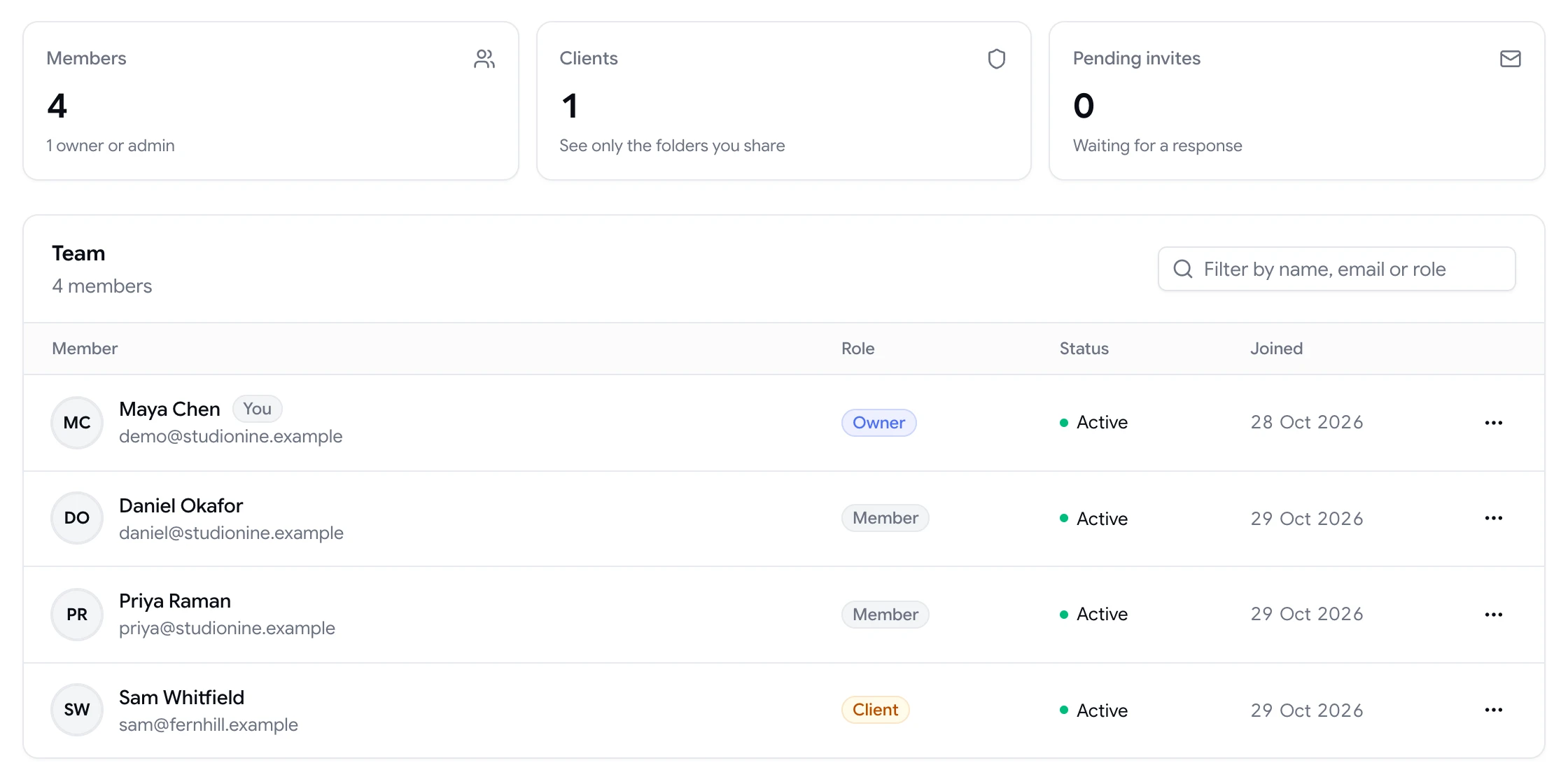

Team page showing workspace members and a client with their roles

Website review, kept simple

ClientTweak opens the site you paste in Browse mode, so reviewers can click around like normal users, then switch to Comment mode to pin feedback to an element. Desktop, tablet and phone widths let you review responsive layouts without leaving the project.

Each comment can include a screenshot of what the reviewer saw and their viewport size, so you can reproduce what they meant.

  • Browse and Comment modes
  • Desktop, tablet and phone previews
  • Pins anchored to page elements
ClientTweak review screen: a client's homepage with numbered comment pins and the comment list beside it

Built-in client separation

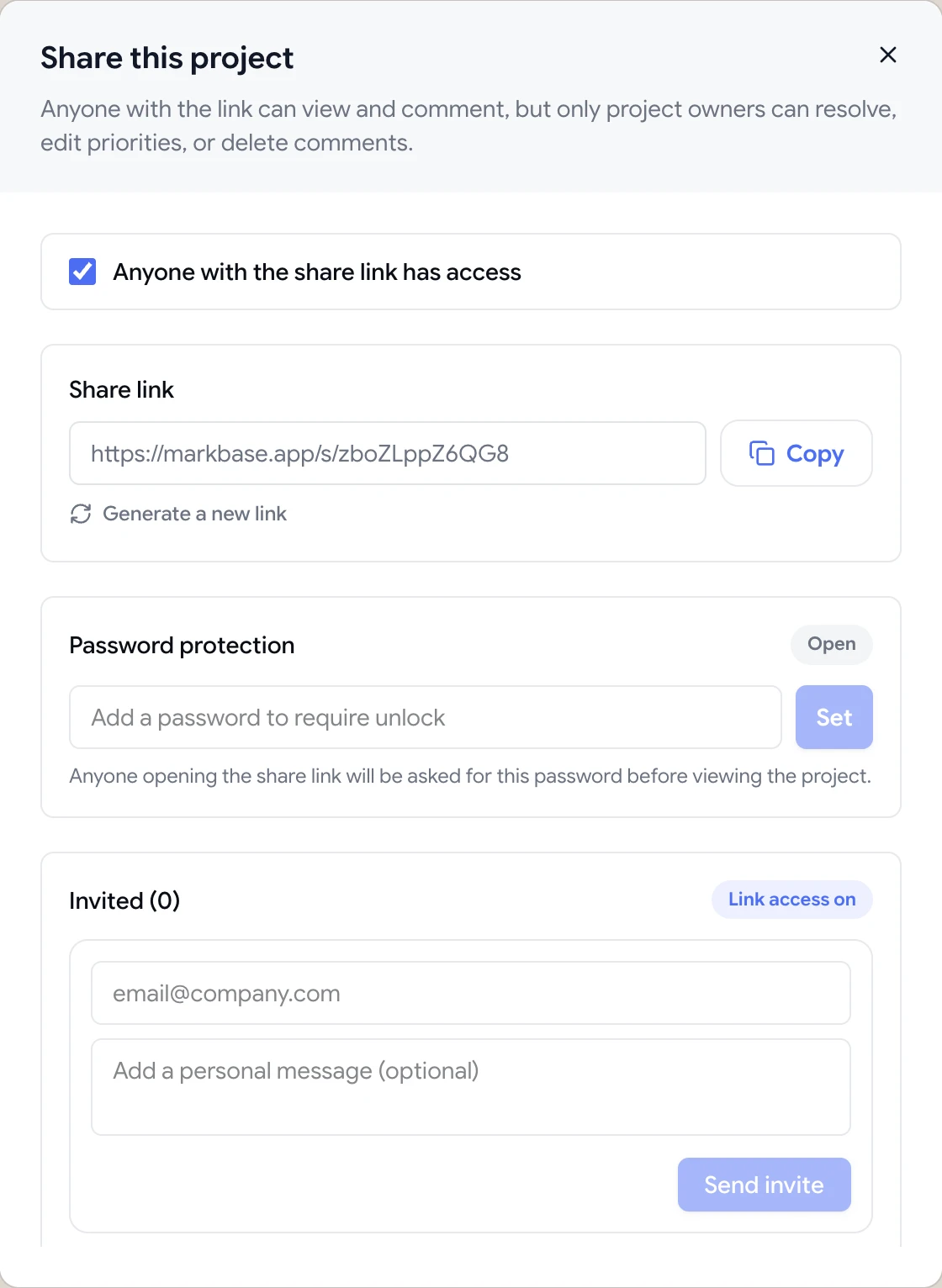
Agencies working with several clients can add each one to the workspace with the client role. Clients see only the folders you share with them, never your other clients, billing or settings. For quick one-off reviews, a guest link works without any account.

Share dialog with the guest review link, password protection and email invites

Feedback that becomes tracked work

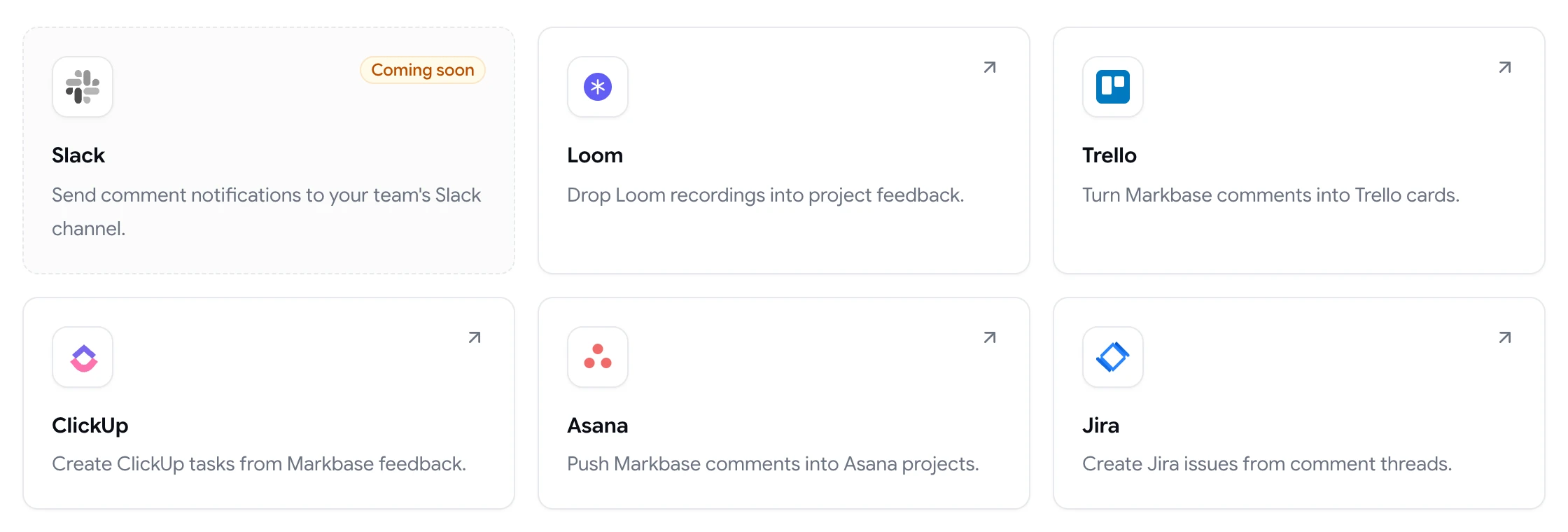
ClientTweak connects to Jira Cloud, Asana, ClickUp and Trello with OAuth. When a reviewer leaves a comment, ClientTweak can create an issue, task or card in the project, list or board you choose, with a link back to the pin. When the comment is resolved or deleted, the integration hears about that too.

Deliveries that fail are retried automatically, and you can retry them by hand from the integration page, so a temporary outage doesn't lose feedback.

  • Jira, Asana, ClickUp and Trello
  • Links back to the exact pin
  • Automatic retries for failed deliveries
ClientTweak integrations page listing Loom, Trello, ClickUp, Asana and Jira, with Slack coming soon

Responsive review without extra tools

Switch a website project between desktop, tablet and phone widths and comment on each. Comments are kept with the page and width they were left on, so mobile feedback doesn't get mixed up with desktop feedback.

Phone-width preview of a website inside ClientTweak
Switching

Moving from Ruttl to ClientTweak

  1. 1

    Start a trial

    Create a ClientTweak workspace and invite your team. Members are unlimited on every plan, so invite everyone who reviews.

  2. 2

    Add your next project

    Paste the live or staging URL, or upload the PDF or image you're reviewing. There's no script to add to the site.

  3. 3

    Connect your task tool

    Link Jira, Asana, ClickUp or Trello from the Integrations page so new comments turn into tasks where your team already works.

  4. 4

    Send the review link

    Share the project link with clients. They click, comment and you get feedback pinned to the exact element. Run both tools side by side until you're sure.

FAQ

ClientTweak vs Ruttl: common questions

What is the best Ruttl alternative?

For teams that mainly review websites, PDFs and images and want flat pricing, ClientTweak is a good alternative. If you need mobile app feedback or a free plan, Ruttl may suit you better.

Is Ruttl free?

Ruttl's pricing page lists a free Basic plan with limits, including one project. ClientTweak has a free trial but no free plan.

Is ClientTweak priced per user?

No. ClientTweak plans are flat: $12.99 a month, $89.99 a year or $249.99 once, with unlimited members and guests.

Can ClientTweak review mobile apps?

ClientTweak reviews websites, including phone and tablet widths, plus PDFs and images. It doesn't offer native mobile app feedback.

Do reviewers need to sign up for ClientTweak?

No. Guests comment from the share link without an account.

Does ClientTweak integrate with Slack and Zapier?

Slack is coming soon, and Zapier isn't supported. ClientTweak integrates with Jira, Asana, ClickUp, Trello and Loom.

Can I keep versions of designs in ClientTweak?

Yes. You can upload a new version of an image or PDF project and keep the earlier ones.

How does ClientTweak handle responsive feedback?

Switch between desktop, tablet and phone widths in the project. Comments are scoped to the page and width they were left on.

Can I review staging sites with ClientTweak?

Yes, as long as the staging site is reachable at a public URL. ClientTweak can't review pages that sit behind a login form or HTTP authentication.

Get started

Try ClientTweak alongside Ruttl.

Run your next review round in ClientTweak and compare for yourself. Every plan includes every feature.

  • Unlimited guest reviewers
  • Nothing to install
  • One flat price