For freelancers

Clear client feedback, without chasing it

When you're the whole studio, every vague email costs you billable time. ClientTweak gives your clients a simple way to point at what they want, and gives you a clear list of what's left to do.

  • Clients need no account
  • One link per project
  • Lifetime plan available
ClientTweak review screen: a client's homepage with numbered comment pins and the comment list beside it
The problem

Client feedback is unpaid project management

  • A client's feedback is spread across a text, an email and a voice note.
  • “Can you make it pop?” with no idea which part of the page they mean.
  • Revision rounds keep coming because nothing was ever marked as done.
  • You spend an hour recreating a bug the client saw on their phone.
  • Clients don't want to learn another tool just to send feedback.
Highlights

Everything a one-person studio needs

Send a link

Clients comment as guests in their browser. Nothing to install, no account.

They point, you fix

Pins attach to the exact element, with a screenshot of what the client saw.

A clear to-do list

Open and resolved tabs show what's left, so revision rounds have an end.

Sites, PDFs and images

Review websites, proposals and design exports in one place.

Control the rounds

Pause comments while you work, and finish the review when a round is done.

Pay once if you like

Choose monthly, yearly or a one-time lifetime plan. Every plan has every feature.

Give clients the easiest possible way to give feedback

Your clients aren't designers or developers. Send them the share link, and they see their website with a simple prompt: click what you want changed. Their comment is pinned to that element and saved with a screenshot of what they were looking at.

You reply in the thread to clarify, and they get notified. No more piecing feedback together from different apps.
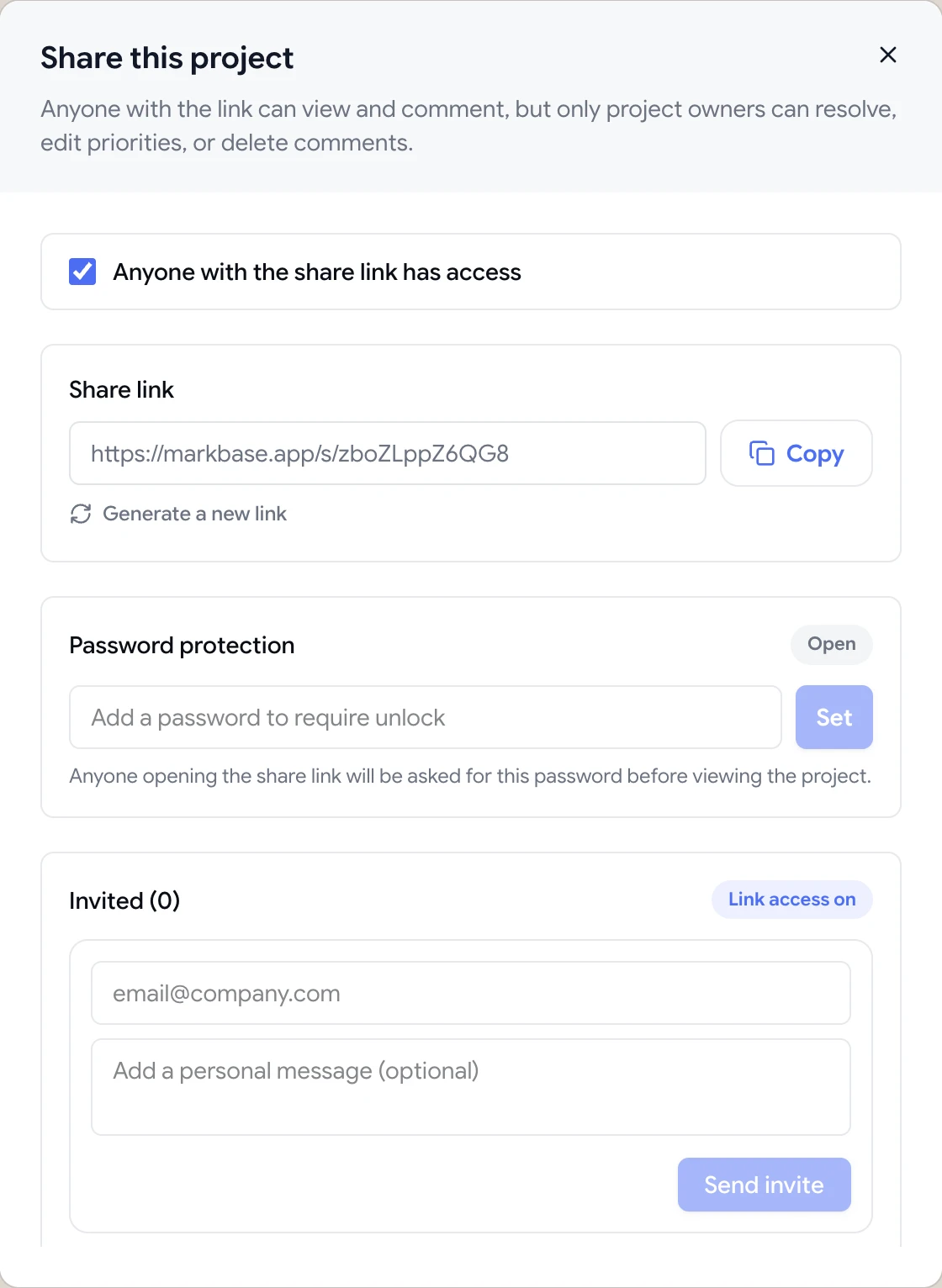

Share dialog with the guest review link, password protection and email invites

Put an end to endless revision rounds

Every comment is either open or resolved, so you and your client can both see exactly what's been done. When a round is finished, mark the review as finished and pause comments while you make the changes, so new requests wait for the next round instead of trickling in.

A clear record of what was asked and what was fixed also makes scope conversations easier.

  • Open and resolved status on every comment
  • Pause comments between rounds
  • Finish review to close a round
A comment thread with replies, pinned to a button on the page

One workspace for every client

Keep each client's sites, PDFs and images in their own folder, and archive projects when they're done. If a client becomes a long-term retainer, add them with the client role so they can sign in and see only their folders.

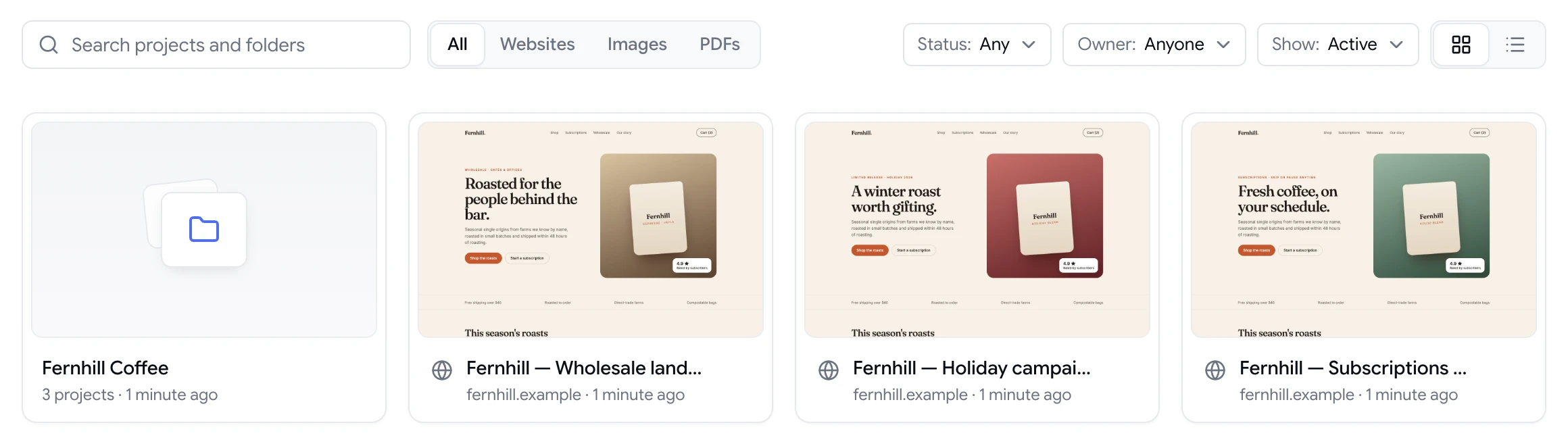
ClientTweak dashboard with a client folder and website project previews

Look like a studio, work like a freelancer

Clients judge your process as well as your work. Sending a polished review link with clear instructions feels very different from asking them to “email me any changes”. It also sets expectations: feedback goes on the page, in rounds, and each round has an end.

ClientTweak is simple enough to set up in a couple of minutes per project, and it doesn't ask anything of your client except a click. You get a tidy list of changes, each one pinned and screenshotted, and a record you can point to if scope comes up later.

If you'd rather not add another monthly subscription, the lifetime plan is a one-time payment with every feature included.

  • A professional review process in minutes
  • Clear rounds that protect your scope
  • Monthly, yearly or lifetime pricing
How it works

Your client review, simplified

  1. 1

    Add the site

    Paste the staging URL or upload the PDF or image.

  2. 2

    Send the link

    Email the share link to your client.

  3. 3

    Work the list

    Fix, reply and resolve each comment.

  4. 4

    Close the round

    Finish the review and agree what comes next.

FAQ

Frequently asked questions

What's the easiest way for clients to give website feedback?

A link they can open in their browser and click on. With ClientTweak, clients comment directly on the page as guests, with no account and nothing to install.

Is there a free plan?

There's no free plan, but you can start with a free trial. Plans are monthly ($12.99), yearly ($89.99) or a one-time lifetime payment ($249.99), all with every feature.

Can I use it for more than one client?

Yes. Create a folder per client, or separate workspaces, and keep their projects apart.

Can clients see my other projects?

No. Guests only see the project you sent them. Clients you add with the client role only see the folders you share with them.

Can I review PDFs, like proposals or brand guides?

Yes. Upload a PDF and pin comments to its pages, or upload images such as design exports.

Can I add a collaborator for a project?

Yes. Invite them to your workspace as a member. Every plan includes unlimited members, so bringing in a developer or copywriter for a project doesn't cost extra.

What if a client keeps sending feedback by email?

Reply with the review link and ask them to pin each change on the page. Most clients prefer it once they've tried it, because it's quicker than writing an email.

Can I cancel anytime?

Monthly and yearly plans can be managed or cancelled from the Billing page. The lifetime plan is a one-time payment with no renewal.

Get started

Start your next review today.

Pin feedback on live websites, PDFs and images, and turn it into work your team can track.

  • Unlimited guest reviewers
  • Nothing to install
  • One flat price