Features

Everything you need to collect feedback that ships

Pin comments on live websites, PDFs and images, share a link that needs no sign-up, and turn every note into work your team can track.

Collect feedback on the real thing

ClientTweak opens your website, PDF or image with a comment layer on top. Reviewers click the exact element they mean and leave a note that stays attached to it. On websites, Browse mode lets them use the site normally and Comment mode lets them pin feedback with one click.

Each comment can capture a screenshot of what the reviewer was looking at, along with their viewport size and scroll position, and you can switch between desktop, tablet and phone widths to review every layout.

  • Live sites, staging URLs, PDFs and images
  • Pins anchored to the element, not a screen position
  • Screenshots, viewport size and scroll position per comment
  • Desktop, tablet and phone previews
ClientTweak review screen: a client's homepage with numbered comment pins and the comment list beside it

Share it with anyone, keep control

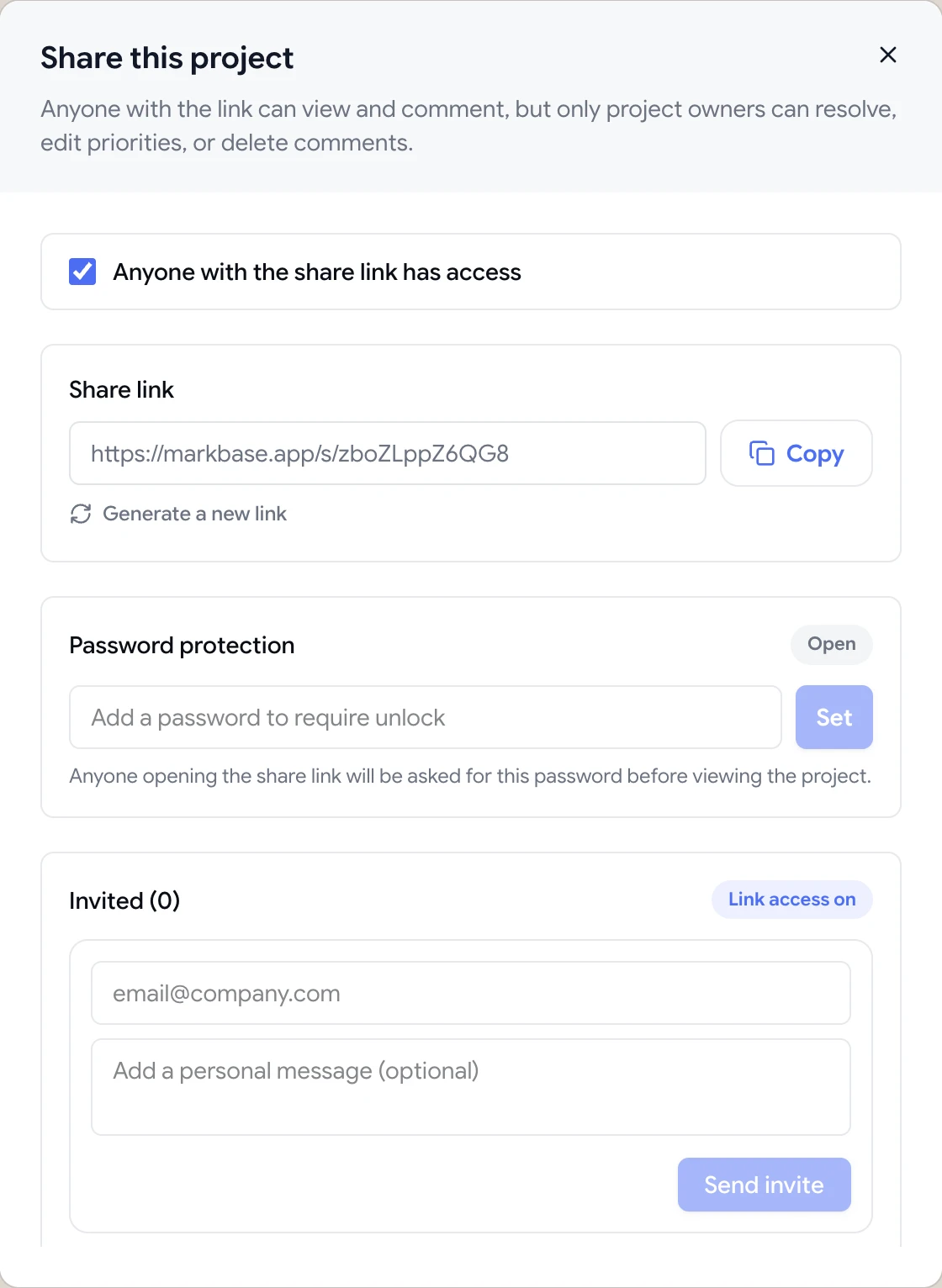
Send a guest review link and clients comment without creating an account or installing anything. Password-protect the link, turn it off or regenerate it whenever you need to.

For ongoing clients, the client role gives them their own sign-in that only shows the folders you share with them. Every plan includes unlimited members and unlimited guest reviewers.

  • Guest links with no account required
  • Password protection and link regeneration
  • Client role with folder-level access
Share dialog with the guest review link, password protection and email invites

Work through it as a team

Reply in threads, @mention teammates, assign comments, set low, medium or high priority and resolve them as you go. Pause comments while you work through a round, and let reviewers tell you when they've finished.

When the work belongs in a task tracker, connect Jira, Asana, ClickUp or Trello and new comments arrive there automatically with a link back to the pin.

  • Threads, @mentions, assignees and priority
  • In-app and email notifications
  • Pause comments, Finish review, versions and archive
A comment thread with replies, pinned to a button on the page
Integrations

Send feedback where your team plans

New comments become Jira issues, Asana tasks, ClickUp tasks or Trello cards, and Loom recordings play right inside comments.

FAQ

Questions about ClientTweak features

What can I review with ClientTweak?

Websites (any public URL, live or staging), PDF documents, and images in PNG, JPEG, WebP or GIF format.

Do reviewers need to install a browser extension?

No. Reviewers open the project in a normal browser tab and start commenting. Nothing is installed on their computer or on your website.

Do reviewers need an account?

No. Anyone with a project's share link can comment as a guest. Teammates and ongoing clients can be invited to your workspace for a full sign-in.

What does ClientTweak capture with each comment?

The element the comment is pinned to, a screenshot of the reviewer's visible view (when capture is on), and their viewport size and scroll position. It doesn't record browser name, operating system or console logs.

Can I use ClientTweak for QA and bug reports?

Yes. Pinned comments with screenshots and viewport details make issues easy to locate, and you can send them to Jira, Asana, ClickUp or Trello automatically.

Which integrations are available?

Jira, Asana, ClickUp and Trello for turning comments into tasks, and Loom for embedding screen recordings. A Slack integration is coming soon.

Are any features limited to higher plans?

No. Every plan — monthly, yearly and lifetime — includes every feature. The plans only differ in how you pay.

Every plan

Included on every plan

No feature tiers. Monthly, yearly and lifetime plans all include all of this.

  • Website, PDF and image projects
  • Browse mode and Comment mode
  • Pins anchored to page elements
  • Drawing annotations
  • File attachments on comments
  • Screenshot of the reviewer's view
  • Viewport size and scroll position
  • Desktop, tablet and phone previews
  • Guest review links, no account needed
  • Password-protected share links
  • Invite reviewers by email
  • Threaded replies and @mentions
  • Assignees and low/medium/high priority
  • Open and resolved status
  • Search, filter and sort comments
  • In-app and email notifications
  • Pause comments and Finish review
  • Version uploads for PDFs and images
  • Folders and project archiving
  • Client role with folder access
  • Unlimited projects, members and guests
  • Jira, Asana, ClickUp, Trello and Loom
Get started

Try it on your next project.

Set up a review in a couple of minutes. Your reviewers need nothing installed.

  • Unlimited guest reviewers
  • Nothing to install
  • One flat price