Website launch review

Know your website is ready before it goes live

The week before launch, everyone finds something. ClientTweak brings every last-minute issue onto one review, prioritised and assigned, so you can see exactly what stands between you and launch day.

  • Every stakeholder in one place
  • Blockers flagged high
  • Every screen size
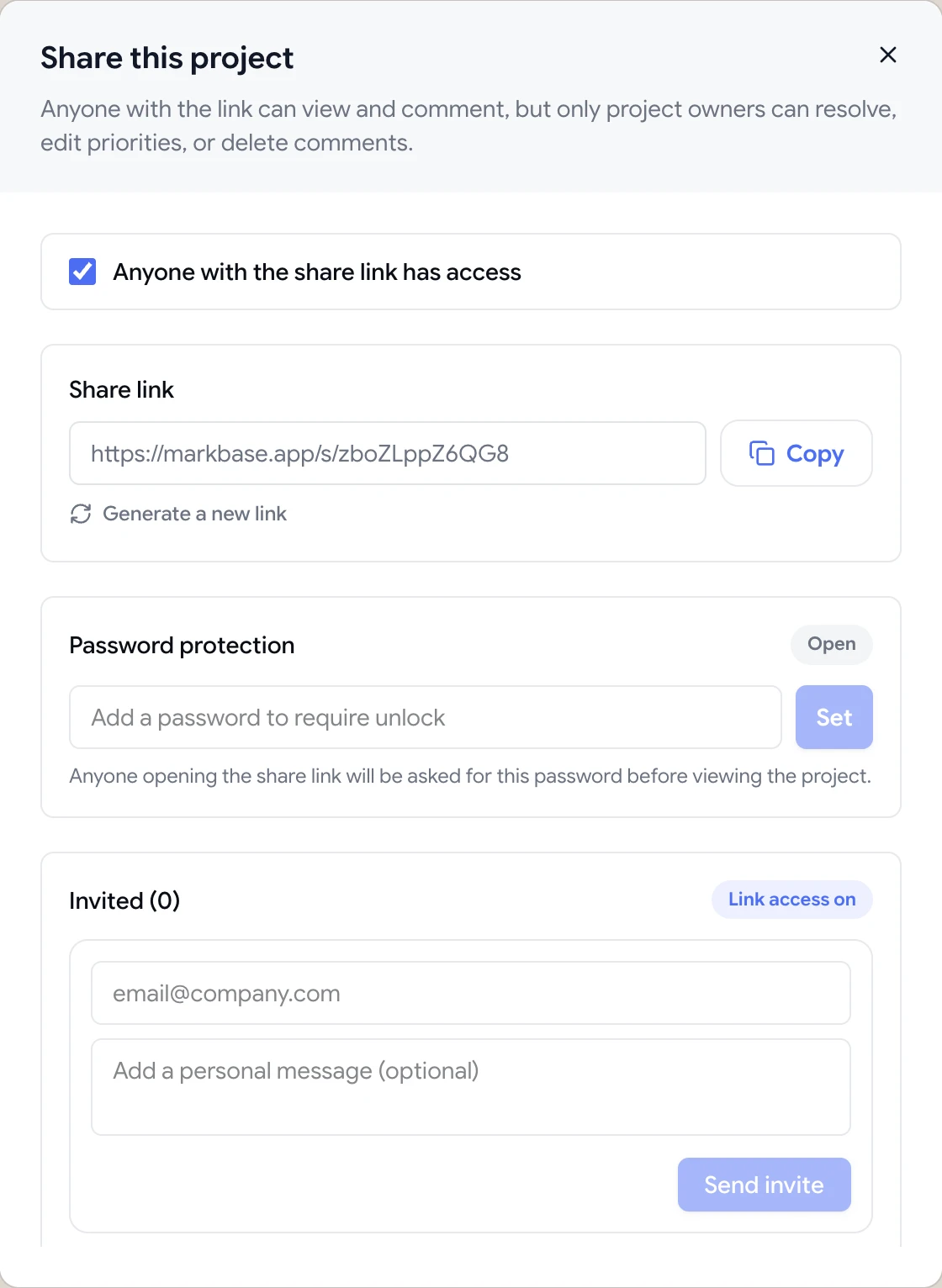
Share dialog with the guest review link, password protection and email invites
The problem

Launch week is when feedback gets chaotic

  • Last-minute issues arrive from everyone, through every channel.
  • Nobody can say which issues block the launch.
  • The mobile layout gets its first real look on launch day.
  • Issues are fixed twice, or not at all, because nobody owns them.
  • There's no clear moment when the review is “done”.
Highlights

A launch review with a finish line

Everyone reviews

Stakeholders comment from a link with no account; your team signs in.

Blockers first

High priority for launch blockers, low for post-launch polish.

Clear owners

Assign each issue so it's fixed once, by the right person.

Every width

Review desktop, tablet and phone layouts before visitors do.

Every page

Use Browse mode to move through the site; comments are tracked per page.

Finish review

Mark the review finished when everything that matters is resolved.

Review the whole site, page by page

Add the staging URL and use Browse mode to move through the site as a visitor would. On each page, switch to Comment mode and pin anything that needs fixing: a broken layout, a typo, a wrong image. Comments are grouped by page in the list, so you can see where problems cluster.

  • Browse and Comment modes
  • Comments grouped by page
  • Screenshot with each comment
ClientTweak review screen: a client's homepage with numbered comment pins and the comment list beside it

Separate launch blockers from nice-to-haves

Not everything raised in launch week needs to be fixed before launch. Set high priority on the issues that block go-live and low priority on polish that can wait. Assign each one, and use filters to focus the team on what matters today.

A comment thread with replies, pinned to a button on the page

Don't let mobile be an afterthought

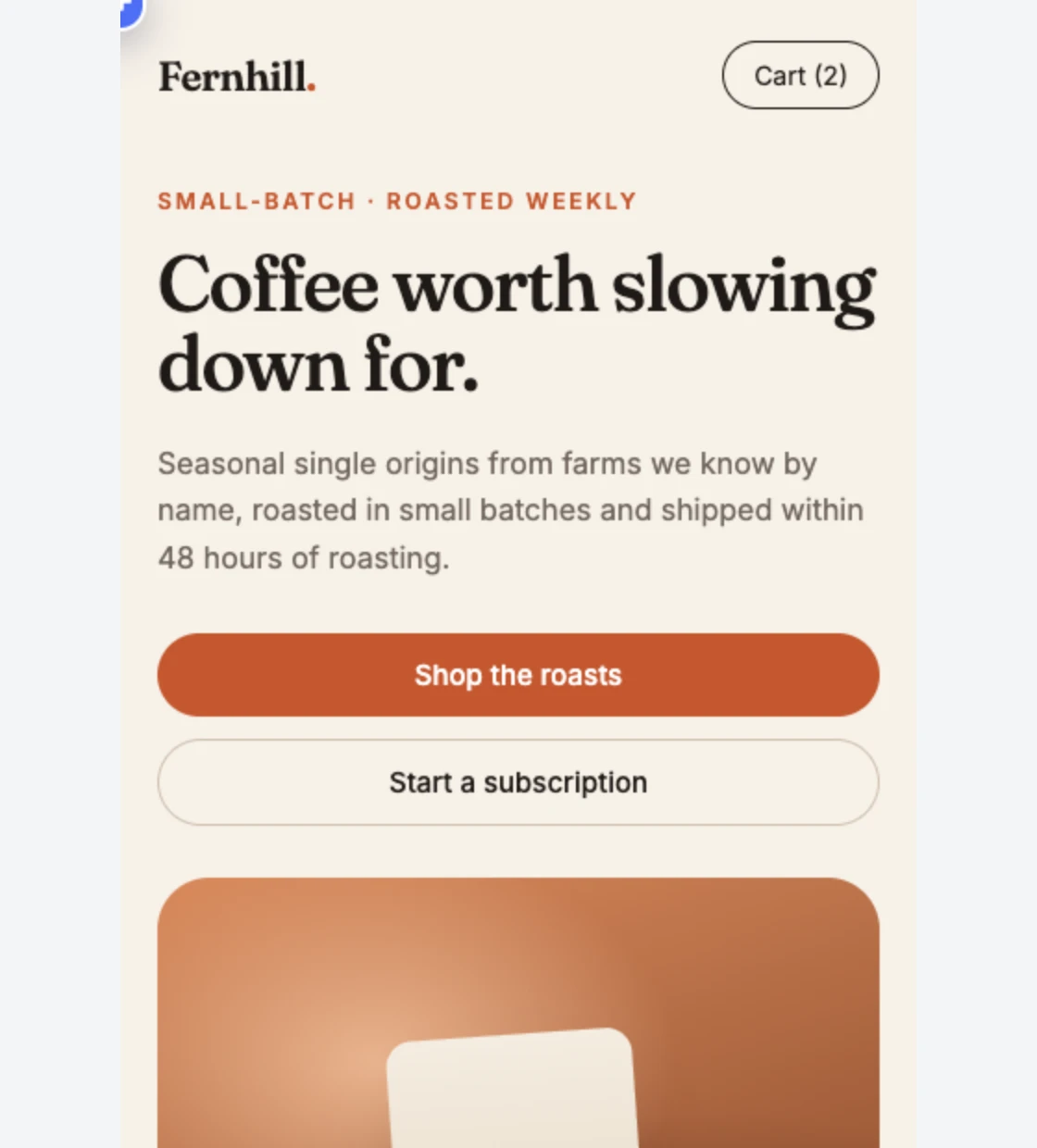
Switch the review to tablet and phone and check the pages most visitors will land on. Comments left at a width stay with that layout.

Phone-width preview of a website inside ClientTweak

Plan the review before launch week

The best launch reviews are scheduled, not improvised. Decide who needs to sign off, which pages they're responsible for, and when their review is due. Share the staging site with each group a few days before launch, not the night before.

Agree what counts as a blocker. Typos on the homepage, broken forms and layout bugs at common widths usually are. A slightly long paragraph on an inner page usually isn't. Use priorities to make that split visible, and keep the low-priority items for the first week after launch.

On launch day, the comment list is your checklist. When every high-priority comment is resolved, finish the review and go live. Then turn off the review link, or regenerate it if you'll keep using the project.

  • Agree reviewers and deadlines
  • Define what a blocker is
  • Use the comment list as the checklist
  • Turn off the link after launch
How it works

A pre-launch review with ClientTweak

  1. 1

    Share the staging site

    Send the link to every stakeholder.

  2. 2

    Collect and prioritise

    Flag blockers high and assign owners.

  3. 3

    Fix and verify

    Resolve issues as fixes are deployed.

  4. 4

    Finish and launch

    Finish the review when blockers are clear.

FAQ

Frequently asked questions

What should I check before launching a website?

Content and copy, layout at every screen size, links and navigation, forms, images, page titles and metadata, and anything stakeholders need to sign off. See our website launch QA checklist for a full list.

How do I get stakeholders to review a website before launch?

Share a single review link where they can pin comments directly on the staging site, set a deadline, and triage everything in one list.

Can I review a staging site?

Yes, as long as ClientTweak can reach it by URL. Pages behind a login form or HTTP authentication aren't supported.

Can I mark issues as launch blockers?

Yes. Set high priority on blockers and filter the comment list to focus on them.

Can we keep the staging site private?

Yes. Password-protect the review link, and turn it off after launch.

Can we keep reviewing after launch?

Yes. Keep the project and point it at the live site's pages, or create a new project for the production URL to collect post-launch feedback.

Who should review a website before launch?

Typically the designer, the content owner, someone from the client or leadership who signs off, and whoever is responsible for QA. Each can review the same link.

How long before launch should the review start?

Give reviewers at least a few working days. Starting the night before means there's no time to fix what they find.

Get started

Start your next review today.

Pin feedback on live websites, PDFs and images, and turn it into work your team can track.

  • Unlimited guest reviewers
  • Nothing to install
  • One flat price