Content proofing

Proofread copy where readers will see it

Copy that looks fine in a document can break on the page: headlines that wrap badly, buttons that truncate, a paragraph that's suddenly too long. ClientTweak lets editors and approvers review words in their real layout.

  • Edits pinned to the text
  • Legal and brand sign-off
  • Check mobile wrapping
ClientTweak review screen: a client's homepage with numbered comment pins and the comment list beside it
The problem

Copy reviewed out of context gets fixed twice

  • A copy deck that no longer matches what's on the page.
  • Headlines that fit in the doc but wrap onto three lines on mobile.
  • Edits sent as “change para 3 on the about page”.
  • Legal sign-off on a version that was edited afterwards.
  • Typos found after publishing because nobody read the live page.
Highlights

Content review in context

Pin to the words

Comment on the exact heading, paragraph or button label you want changed.

See the wrap

Check how copy fits at desktop, tablet and phone widths.

Approvals from anyone

Legal, brand and subject experts comment from a link without accounts.

Mention the writer

@mention the copywriter so they're notified about every edit.

PDFs too

Proof brochures, reports and one-pagers as PDF projects.

Track every edit

Resolve edits as they're made so nothing is missed before publishing.

Suggest edits on the sentence itself

Open the page in ClientTweak, click the heading or paragraph that needs work and write the change in the comment. The pin stays attached to that element, and the comment saves a screenshot of the copy as you saw it.

Writers reply in the thread when they disagree or need clarification, and resolve each edit once it's made.

  • Comments pinned to text elements
  • Threaded replies with the writer
  • Resolve each edit when it's done
A comment thread with replies, pinned to a button on the page

Check how copy fits every screen

A headline that sits nicely on desktop might wrap onto four lines on a phone. Switch the review to tablet and phone and read the page the way most visitors will. Comments are scoped to the width they were left on.

Phone-width preview of a website inside ClientTweak

Sign-off from the people who need to approve it

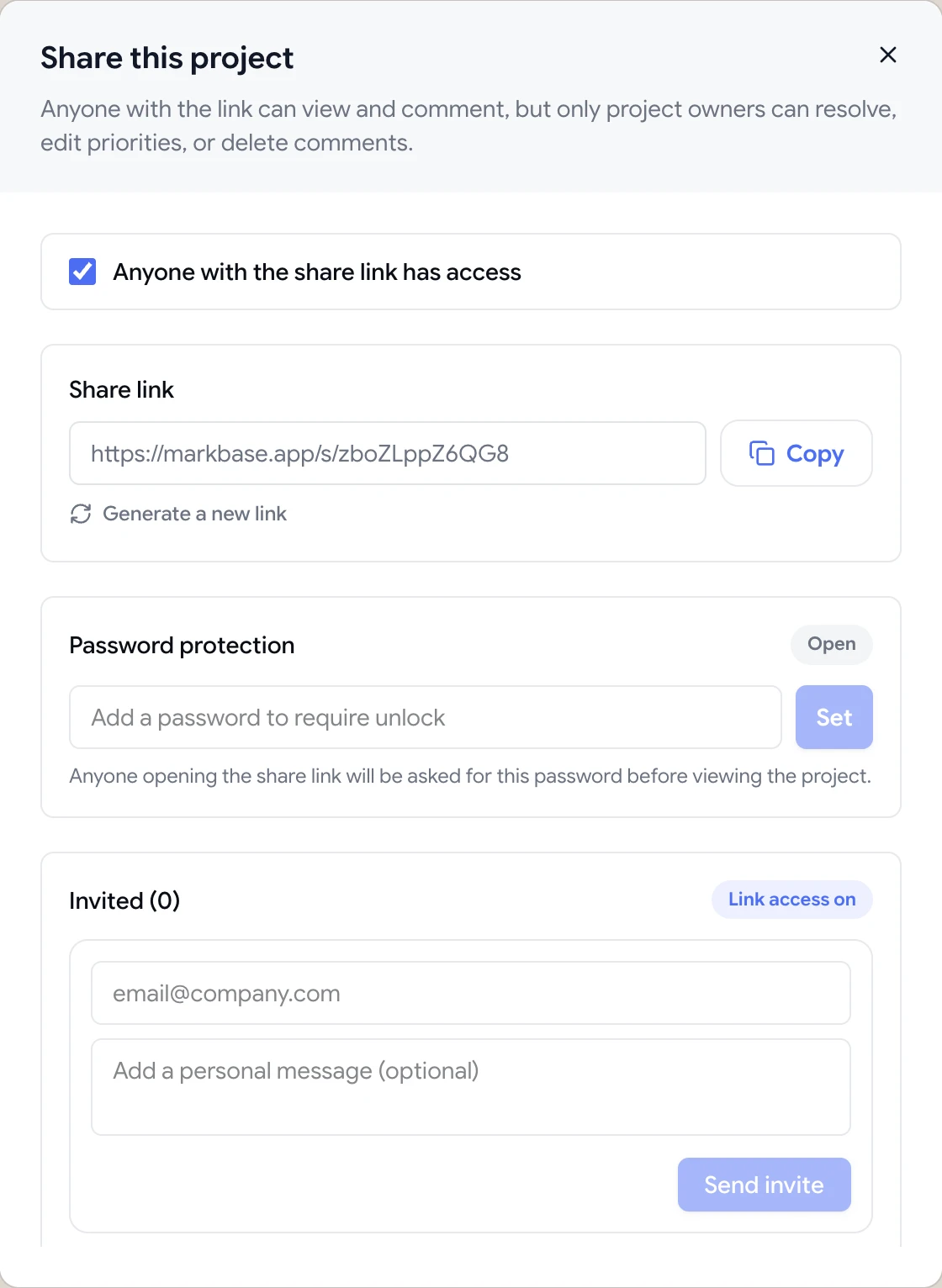
Send the share link to legal, brand or the subject expert. They comment as guests, and you can password-protect the link for unpublished pages. When every edit is resolved, finish the review and publish with confidence.

Share dialog with the guest review link, password protection and email invites

A proofreading checklist for web pages

Read the page top to bottom at desktop width first: headings, body copy, button and link labels, image alt text where visible, captions, form labels and error messages. Then switch to phone width and read it again, because line breaks, truncation and long words behave differently on small screens.

Check consistency as well as correctness: product names, capitalisation, units, dates and the tone of calls to action. Pin each correction to the element where it appears and write the replacement text in full, so whoever makes the edit doesn't have to interpret it.

Finally, ask a second reader to review the same link. Two people catch far more than one, and with every edit pinned to the page, they can see what's already been flagged.

  • Read at desktop, then at phone width
  • Check consistency, not just typos
  • Write the replacement text in full
  • Add a second reader
How it works

Proofread a page with ClientTweak

  1. 1

    Add the page

    Paste the preview or staging URL.

  2. 2

    Read and pin

    Comment on every line that needs an edit.

  3. 3

    Get approvals

    Share with legal, brand and experts.

  4. 4

    Publish

    Resolve the edits and finish the review.

FAQ

Frequently asked questions

How do I proofread a website?

Read the live or staging page at desktop and mobile widths, check headings, body copy, buttons, links and metadata, and note each correction against the exact element. A visual feedback tool lets you pin each edit directly to the text.

Can reviewers edit the text directly?

No. Reviewers suggest changes in comments pinned to the text, and your team makes the edits in your CMS or code.

Does it work with any CMS?

Yes. ClientTweak reviews any page it can load by URL, however it's built. Nothing is installed in your CMS.

Can I proofread PDFs?

Yes. Upload a PDF and pin comments to its pages.

Can approvers comment without an account?

Yes. Anyone with the share link can comment as a guest.

Can we review page titles and meta descriptions?

ClientTweak shows the rendered page, so it's best for visible content. Review titles and meta descriptions in your CMS or SEO tool.

Who should proofread website copy?

The writer, an editor or second reader, and anyone who must approve the wording, such as legal or brand. Each can comment on the same link.

Can we track which edits have been made?

Yes. Resolve each comment once the edit is live, and the Resolved tab keeps a record of every change.

Get started

Start your next review today.

Pin feedback on live websites, PDFs and images, and turn it into work your team can track.

  • Unlimited guest reviewers
  • Nothing to install
  • One flat price