For agencies

Client reviews that don't eat your margin

Every project ends with the same scramble: feedback scattered across email, calls and screenshots. ClientTweak puts every client comment on the page it's about, so your team fixes the right thing the first time.

  • Unlimited client reviewers
  • Folders per client
  • Flat pricing, not per seat
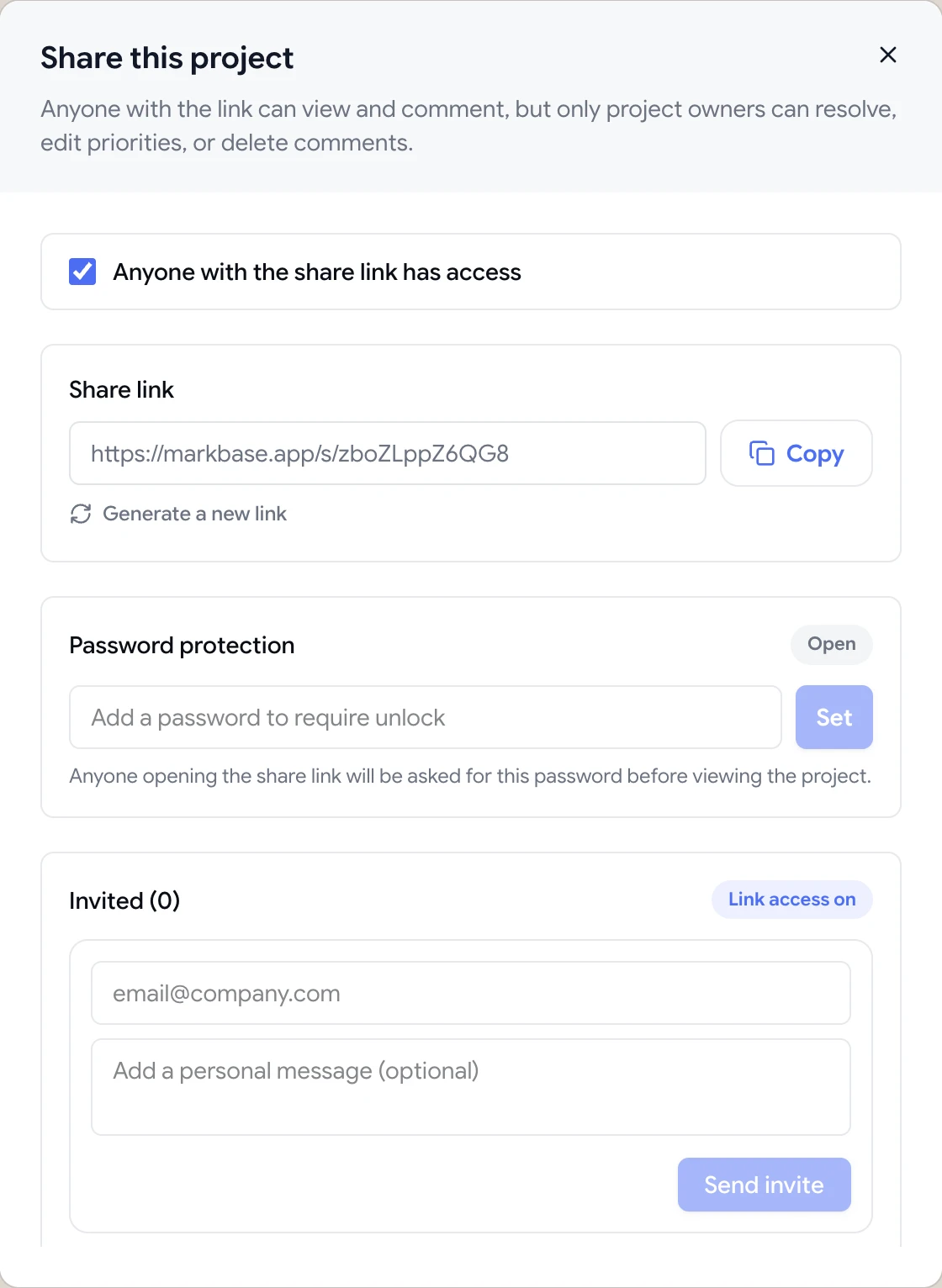
Share dialog with the guest review link, password protection and email invites
The problem

The feedback stage is where agency projects lose time

  • Ten active projects, and their feedback lives in ten different email threads.
  • A client sends a screenshot with a red circle and the word “this”.
  • Two stakeholders on the client side ask for opposite changes, in separate emails.
  • A designer and a developer both fix the same comment because nobody marked it done.
  • Clients won't create yet another account just to leave feedback.
  • Nobody can say which projects are waiting on the client and which are waiting on you.
Highlights

Built around how agencies actually deliver

ClientTweak is a review layer for the websites, PDFs and images you hand over to clients, with the access controls an agency needs.

Guest links for every client

Clients open a link and comment straight away. No account, no extension, nothing for them to learn.

A folder per client

Keep each client's sites, PDFs and images together, and archive projects when they ship.

Client role for long-term accounts

Retainer clients can sign in and see only the folders you've shared with them, never your other clients.

Feedback on the exact element

Pins attach to the button, heading or image the client clicked, with a screenshot of what they saw.

Tasks in your project tool

Send comments to Jira, Asana, ClickUp or Trello so they land in the backlog your team already works from.

Unlimited team and reviewers

Every plan includes unlimited workspace members and guest reviewers, so pricing doesn't grow with headcount.

One dashboard for every client site

Each website, PDF or image you're reviewing is a project in ClientTweak. Group them in a folder per client, filter by type, and archive projects when they go live so your dashboard only shows active work.

Website projects show a live preview thumbnail, so your account managers can find the right one at a glance. When a client asks for an update, you're one click from every comment they've left.

  • Folders per client or per engagement
  • Website, PDF and image projects side by side
  • Archive shipped projects without losing their history
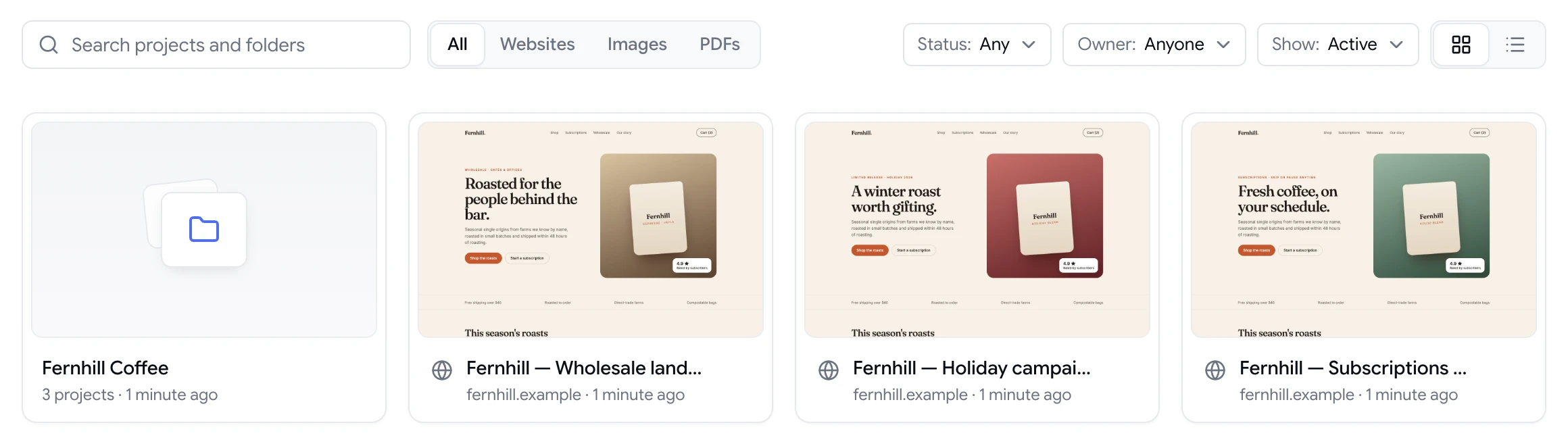
ClientTweak dashboard with a client folder and website project previews

Clients comment on the live page, not in an email

Send your client the project's share link. They switch to Comment mode, click the element they want changed and type. The comment is pinned to that element, numbered, and saved with a screenshot of what they were looking at and their viewport size.

Your team replies in the same thread, so the conversation about a change stays next to the change. When a client forwards the link to a colleague, they can comment too. Every plan includes unlimited guest reviewers.

  • No account or extension for clients
  • Password-protect links for unreleased work
  • Regenerate a link if it's been shared too widely
ClientTweak review screen: a client's homepage with numbered comment pins and the comment list beside it

Your team decides what's done

Guests can comment and reply, but only your workspace members can resolve comments, set priority or delete feedback. A client can't accidentally close an issue your developers still need to fix.

Assign comments to the designer or developer who owns them, mention teammates to pull them in, and use Finish review when a round is complete. Pause comments on a project while your team works through a batch, so nothing new arrives mid-sprint.

  • Assignees, priorities and @mentions on every comment
  • Open and Resolved tabs to track progress
  • Pause comments between review rounds
A comment thread with replies, pinned to a button on the page

Feedback goes where your team plans work

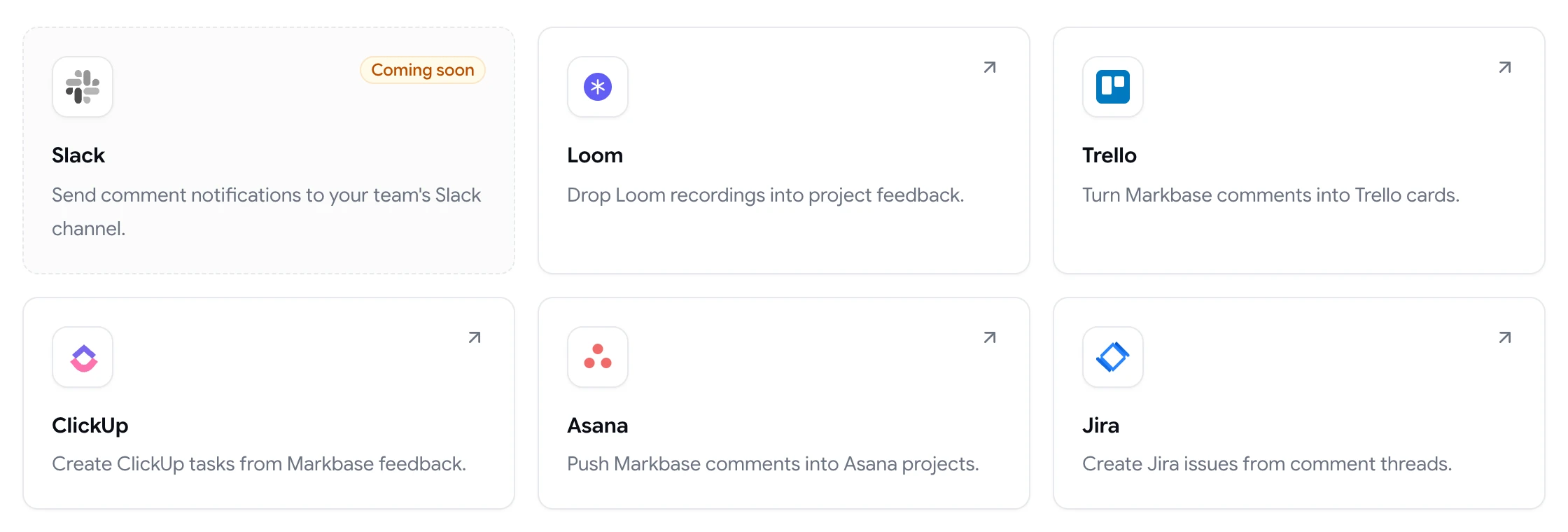
Connect Jira, Asana, ClickUp or Trello once, and new comments create issues, tasks or cards in the project, list or board you choose. Each one links back to the pinned comment, so the person picking it up can see exactly what the client meant.

If your designers prefer to explain changes on video, connect Loom and attach recordings directly to comments.

  • Jira, Asana, ClickUp and Trello task integrations
  • Loom recordings in comments
  • Slack notifications coming soon
ClientTweak integrations page listing Loom, Trello, ClickUp, Asana and Jira, with Slack coming soon

Protect your margin on every project

Feedback rounds are where fixed-fee projects quietly go over budget. A vague request means a designer guesses, the client says that's not what they meant, and the same change is made twice. Pinning every comment to the element it's about removes most of that guesswork before anyone opens a design file.

Clear rounds help with scope too. When feedback is collected, worked through and finished as a round, it's easier to agree with a client what was included and what counts as a new request. The comment history on each project shows exactly what was asked for and when it was resolved.

And because every plan includes unlimited members and guests, adding a freelancer for a busy month or inviting a client's whole marketing team doesn't change what you pay.

  • Fewer misunderstood changes
  • A clear record of each round
  • Flat pricing as your team grows
How it works

How agencies run a review in ClientTweak

  1. 1

    Create the project

    Paste the staging or live URL, or upload a PDF or image, into the client's folder.

  2. 2

    Send the link

    Share the guest link or invite the client's stakeholders by email.

  3. 3

    Triage the round

    Assign, prioritise and reply to comments; send them to your project tool.

  4. 4

    Close it out

    Resolve what's fixed, finish the review and archive the project when it ships.

FAQ

Frequently asked questions

What's the best website feedback tool for agencies?

Look for three things: clients can comment without creating an account, feedback is pinned to the exact element, and it fits your existing project tool. ClientTweak does all three, with guest links, element-anchored pins and Jira, Asana, ClickUp and Trello integrations.

Do our clients need a ClientTweak account?

No. Clients can comment as guests from the project's share link. For long-term clients you can also add them to your workspace with the client role, so they only see the folders you share with them.

Can one client see another client's projects?

No. Guests only see the project they were sent. Members with the client role only see the folders you've explicitly shared with them, and can't open your members, billing, settings or integrations pages.

Does pricing go up as our team grows?

No. Every plan includes unlimited workspace members and unlimited guest reviewers. You pay monthly, yearly or once for lifetime access.

Can we review PDFs and design images as well as websites?

Yes. Projects can be live websites, PDFs or images (PNG, JPEG, WebP and GIF), and you can upload new versions of PDFs and images as the work evolves.

Does ClientTweak work with our project management tool?

ClientTweak connects to Jira Cloud, Asana, ClickUp and Trello. New comments can create issues, tasks or cards in the project, list or board you choose. Slack notifications are coming soon.

Can we use ClientTweak for retainer clients and one-off projects?

Yes. Send one-off clients a guest link for each project, and add retainer clients to your workspace with the client role so they can sign in and see all of their folders in one place.

Get started

Give your next client review a single home.

Send one link, collect pinned feedback, and keep every project moving.

  • Unlimited guest reviewers
  • Nothing to install
  • One flat price