For product managers

One place for every stakeholder's feedback

Launch reviews pull in sales, marketing, leadership and design, and each of them sends feedback a different way. ClientTweak gives everyone the same link and puts every comment on the page, ready to triage.

  • Unlimited stakeholders
  • Priority and assignees
  • Backlog integrations
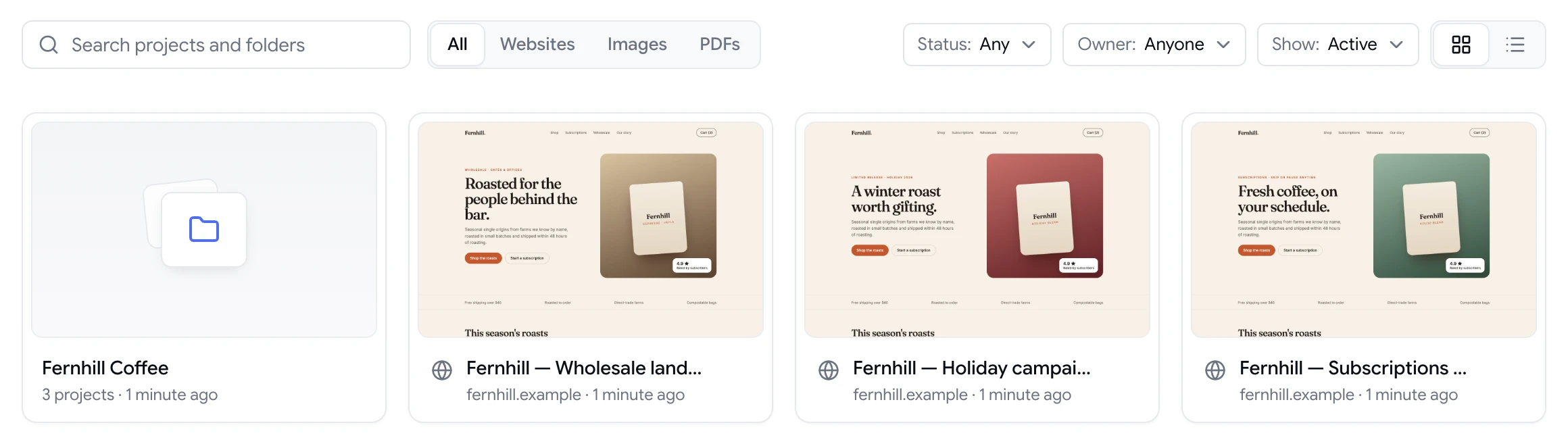
ClientTweak dashboard with a client folder and website project previews
The problem

Stakeholder review is a coordination problem

  • Feedback comes in through Slack, email, a doc and a meeting, all at once.
  • Two executives want opposite changes and neither knows about the other.
  • You can't tell which comments are blockers and which are nice-to-haves.
  • Nobody knows when the review round is actually finished.
  • Comments never make it from the review into the backlog.
Highlights

Run reviews you can actually close

ClientTweak gives you the structure to collect, triage and finish a review round.

One link for everyone

Stakeholders open the share link and comment as guests. No seat to buy, no account to create.

Priorities

Mark each comment low, medium or high so launch blockers stand out from polish.

Owners

Assign comments to the designer or engineer responsible, and mention people to pull them in.

Finish review

Signal that a round is complete, and pause comments while the team works through it.

Into the backlog

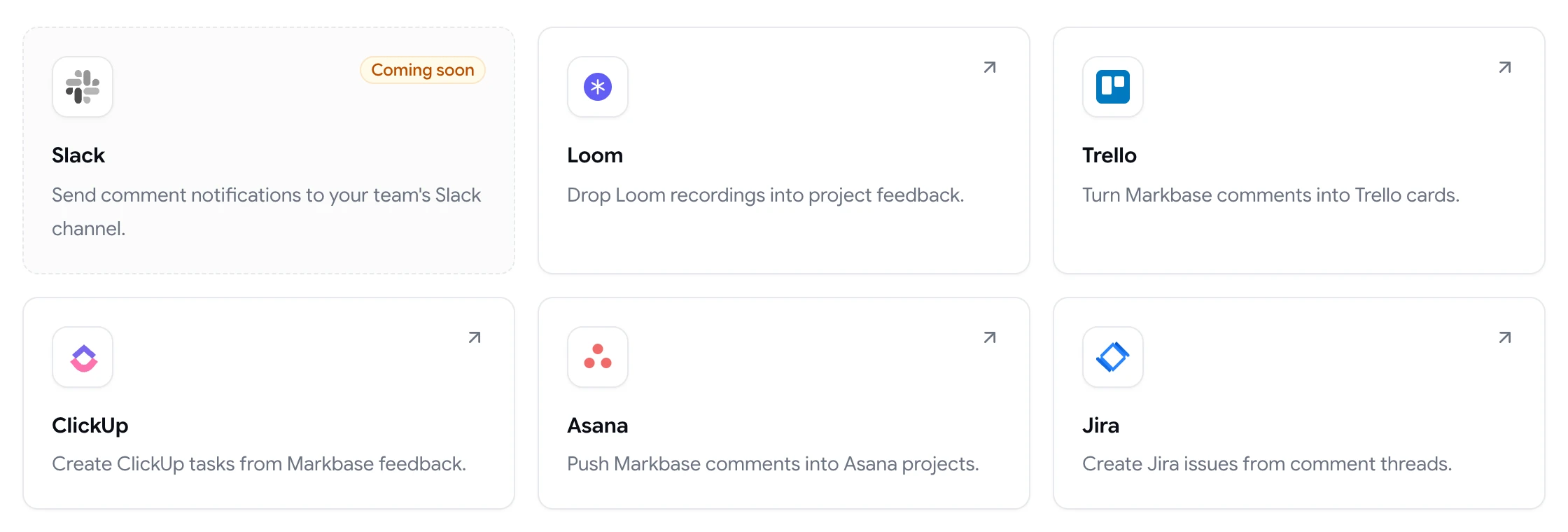
Send comments to Jira, Asana, ClickUp or Trello automatically as they're created.

Notifications

In-app notifications for mentions, assignments, replies and resolutions, plus email for new comments and mentions.

Everyone comments in the same place

Share the project link in your launch channel. Sales, marketing, leadership and design all open the same page and pin comments to what they want changed. Conflicting requests sit next to each other on the same element, so you can resolve them in one thread instead of across inboxes.

Every plan includes unlimited guest reviewers, so you never have to choose who gets a say.

  • Guest access with no account
  • Threaded replies on each pin
  • Search, filter and sort comments
ClientTweak review screen: a client's homepage with numbered comment pins and the comment list beside it

Triage like a backlog

Set priority on each comment, assign an owner and reply with a decision. The Active and Resolved tabs show what's left at a glance, and filters help you focus on high-priority items before a launch.

When the round is done, use Finish review. If you need breathing room, pause comments on the project so new feedback doesn't arrive while the team is mid-fix.

  • Low, medium and high priority
  • Assignees and @mentions
  • Pause comments and Finish review
A comment thread with replies, pinned to a button on the page

Feedback that reaches the sprint

Connect your team's tracker and new comments create issues or tasks automatically, each with a link back to the pinned comment. Your engineers keep working from the backlog they know, and you keep the review history in ClientTweak.

  • Jira Cloud
  • Asana
  • ClickUp
  • Trello
ClientTweak integrations page listing Loom, Trello, ClickUp, Asana and Jira, with Slack coming soon

Make the review round a decision, not a discussion

A good stakeholder review ends with decisions: what ships now, what waits, and what isn't happening. That's hard when feedback is scattered, because you can't see the whole picture or spot the conflicts until someone raises them in a meeting.

With every comment on the page, conflicts surface on their own. Two people who disagree about the hero headline are commenting on the same pin, and you can make the call in the thread where both can see it. Priorities let you separate must-fix from nice-to-have, and resolving a comment records the decision.

When the round is done, Finish review marks it complete. Anything that's out of scope can go to your backlog through the Jira, Asana, ClickUp or Trello integration, so it isn't lost, just not blocking launch.

  • Conflicts visible on the same element
  • Decisions recorded in the thread
  • Deferred items go to the backlog
How it works

A launch review, start to finish

  1. 1

    Set up the page

    Add the staging URL of the new page or feature.

  2. 2

    Invite stakeholders

    Share the link or send email invites with a deadline.

  3. 3

    Triage

    Prioritise, assign and reply; sync to your tracker.

  4. 4

    Finish the round

    Resolve what's done and mark the review finished.

FAQ

Frequently asked questions

How do I collect stakeholder feedback on a new web page?

Share a single review link where everyone can pin comments directly on the page. ClientTweak keeps each comment on the element it's about, so you can triage everything in one list.

Do stakeholders need accounts?

No. Anyone with the share link can comment as a guest. You can password-protect the link for unreleased work.

Can I prioritise feedback?

Yes. Every comment can be set to low, medium or high priority and assigned to a teammate.

Can feedback go into Jira automatically?

Yes. Connect Jira Cloud and new comments can create issues in a project you choose. Asana, ClickUp and Trello work the same way.

How do I stop feedback arriving while the team fixes things?

Pause comments on the project, and use Finish review to signal that a round is complete.

Can I see every comment for a page in one list?

Yes. The comment list shows every comment on the project, grouped by page, with Active and Resolved tabs and search, filter and sort options.

Does ClientTweak work for reviewing PDFs like specs or proposals?

Yes. Upload a PDF as its own project and stakeholders can pin comments to its pages.

How do I stop a review from dragging on?

Set a deadline when you share the link, pause comments when it passes, and use Finish review once the agreed changes are resolved. Anything new goes into the next round or the backlog.

Get started

Start your next review today.

Pin feedback on live websites, PDFs and images, and turn it into work your team can track.

  • Unlimited guest reviewers
  • Nothing to install
  • One flat price