BugHerd alternative

The BugHerd alternative that doesn't count heads

BugHerd is a mature bug tracker built around a script or extension on your site and a task board. ClientTweak takes a lighter route: paste a URL, share a link, and pay one flat price however many people are on your team.

ClientTweak

vs
B

BugHerd

The short answer

ClientTweak or BugHerd?

Choose ClientTweak if…

  • You want a flat price with unlimited members instead of plans sized by member count.
  • You'd rather not add a JavaScript tag to client sites or ask anyone to install an extension.
  • You also review PDFs and images, and want them in the same workspace as websites.
  • Your task board already lives in Jira, Asana, ClickUp or Trello and you just need feedback to land there.
  • A one-time lifetime plan suits how you buy software.

Choose BugHerd if…

  • You want feedback to automatically record browser, OS, screen size and device details.
  • You want a built-in kanban task board, or a client-facing task board for guests.
  • You need Slack, Microsoft Teams, GitHub, Linear or other integrations ClientTweak doesn't offer yet.
  • You want video feedback sessions, text-edit suggestions or a public feedback widget.
  • You need enterprise options like SSO or an uptime SLA.
Side by side

ClientTweak vs BugHerd

FeatureClientTweakBugHerd
Pricing modelFlat plans, not per seat: $12.99/month, $89.99/year or $249.99 one-time (lifetime). Every plan includes every feature.Plans by number of members: Standard $50/month (5 members), Studio $80/month (10), Premium $150/month (25), lower when billed annually. Extra members are charged per user.
Team membersUnlimited workspace members and unlimited guest reviewers on every plan.Set by plan (5, 10 or 25), plus paid extra members. Guests are unlimited.
Free optionFree trial. No free plan.Free trial on every plan and a 60-day money-back guarantee. No free plan listed.
Getting startedNothing to install. Paste a URL and ClientTweak loads the site through a proxy with a comment layer on top. No script, no browser extension.Add a one-line JavaScript tag to the site, or use the browser extension where you can't add code.
What you can reviewLive and staging websites, PDFs and images (PNG, JPEG, WebP, GIF).Live and staging websites, plus Figma prototypes, PDFs and images.
Client & guest accessGuests comment from a share link without an account. Optional client role that only sees the folders you share.Guests leave pinned comments without accounts. Guest task board and seeing other guests' feedback are on Premium.
Technical captureA screenshot of what the reviewer was looking at, plus viewport size and scroll position. Pins anchor to the page element.Screenshot, browser and version, operating system, screen size and resolution, and device info.
Task managementThreaded replies, @mentions, assignees, low/medium/high priority, open/resolved status, pause comments, Finish review.Every comment becomes a task on a built-in kanban board.
IntegrationsJira, Asana, ClickUp and Trello (tasks from comment events), Loom recordings in comments. Slack is coming soon.21 integrations including Slack, Microsoft Teams, Trello, GitHub and Zapier. Jira, Asana, ClickUp, Linear and Monday.com are on Premium.
Device previewsDesktop, tablet and phone preview widths inside the review.Its sidebar works on mobile websites.
BrandingClientTweak branding.Custom branding on Premium.

BugHerd details are based on its public website, checked in October 2026. Products change — check bugherd.com, bugherd.com/pricing for the latest.

The price question: members versus flat plans

BugHerd's plans are sized by how many members you have: five on Standard, ten on Studio, twenty-five on Premium, with extra members charged on top. That works well for a stable team, but it means the bill grows every time you add a developer, a project manager or a freelancer to the account.

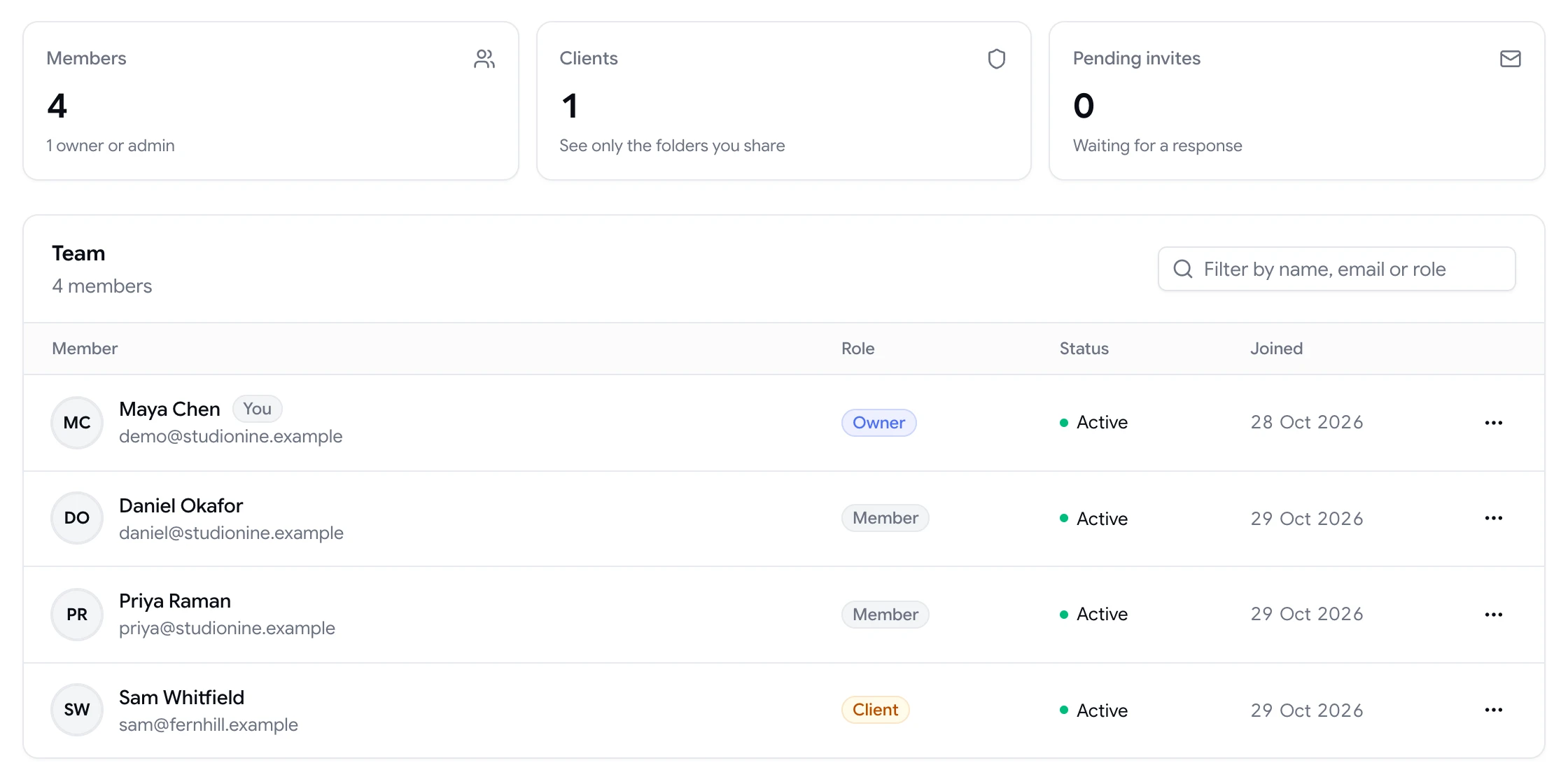
ClientTweak plans don't change with headcount. Monthly, yearly and lifetime plans all include unlimited members and unlimited guest reviewers, so you can bring the whole team, and every client, into a review without checking how many seats you have left.

  • Unlimited members and guests on every plan
  • $249.99 lifetime option, paid once
  • Every plan includes every feature, including integrations
Team page showing workspace members and a client with their roles

No tag on the client's site

BugHerd collects feedback through a JavaScript tag on your site or a browser extension. For a staging site you control, that's a small step. For a client's production site, it can mean asking their developer for access or waiting for a deploy.

ClientTweak loads the site you want to review through a proxy and adds the comment layer on top, so there's nothing to install on the site and nothing for reviewers to install either. Paste the URL, send the link, and reviewers can start commenting.

ClientTweak review screen: a client's homepage with numbered comment pins and the comment list beside it

Feedback that ends up where your team already works

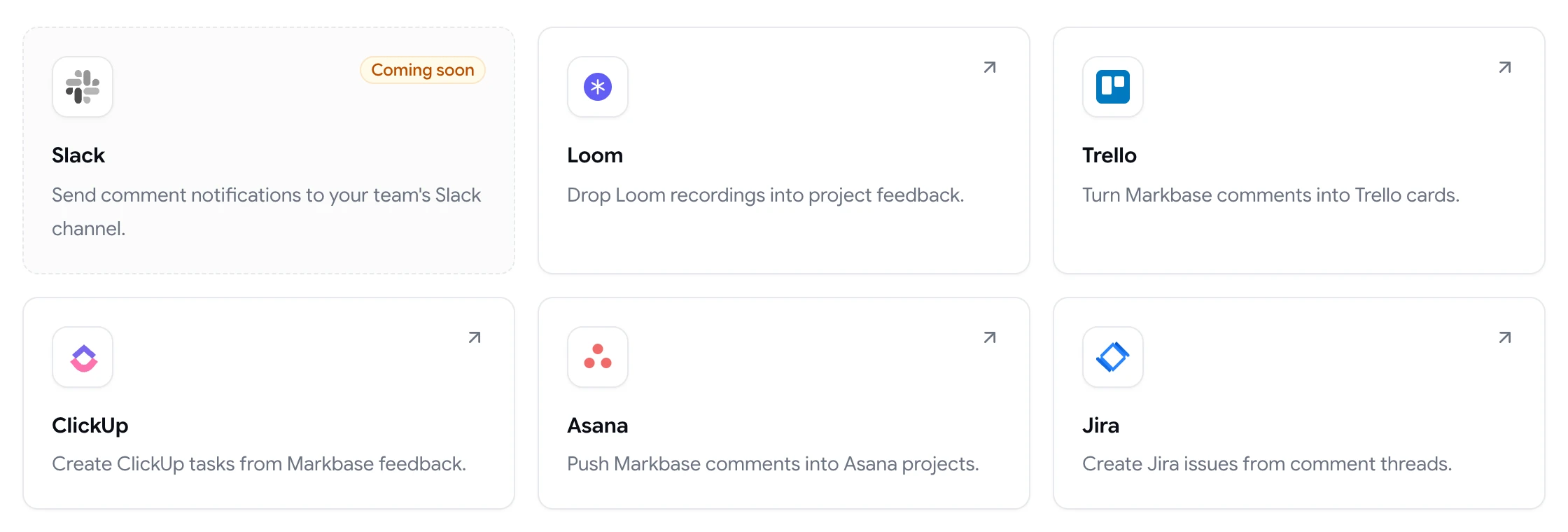
If your team plans work in a board of its own, BugHerd's kanban board gives you a dedicated place to triage feedback. ClientTweak doesn't try to replace your project tool. Instead, each comment can become a Jira issue, Asana task, ClickUp task or Trello card, with a link back to the pin.

Inside ClientTweak, comments carry assignees, priority and a resolved status, so small fixes can be closed right where they were reported.

ClientTweak integrations page listing Loom, Trello, ClickUp, Asana and Jira, with Slack coming soon

Review rounds with a clear end

Feedback tends to trickle in long after a round is supposed to be over. In ClientTweak you can pause comments on a project while your team works through the list, then use Finish review to mark the round complete. Reviewers can still read the project, but new comments can't be added until you resume.

Combined with priorities, assignees and the resolved tab, it gives small teams a lightweight process without a separate board to maintain.

  • Pause comments during fixes
  • Finish review to close a round
  • Active and Resolved tabs
A comment thread with replies, pinned to a button on the page
Switching

Moving from BugHerd to ClientTweak

  1. 1

    Start a trial

    Create a ClientTweak workspace and invite your team. Members are unlimited on every plan, so invite everyone who reviews.

  2. 2

    Add your next project

    Paste the live or staging URL, or upload the PDF or image you're reviewing. There's no script to add to the site.

  3. 3

    Connect your task tool

    Link Jira, Asana, ClickUp or Trello from the Integrations page so new comments turn into tasks where your team already works.

  4. 4

    Send the review link

    Share the project link with clients. They click, comment and you get feedback pinned to the exact element. Run both tools side by side until you're sure.

FAQ

ClientTweak vs BugHerd: common questions

What is the best BugHerd alternative?

It depends on what you use BugHerd for. If you mainly collect client feedback on websites and want flat pricing with unlimited members, ClientTweak is a strong fit. If you rely on automatic browser and OS capture or a built-in kanban board, look for a tool that offers those.

Is ClientTweak cheaper than BugHerd?

For most teams, yes. ClientTweak is $12.99 a month or $89.99 a year with unlimited members, while BugHerd's plans start at $50 a month for five members according to its pricing page. Compare the plan that fits your team size on both sites.

Does ClientTweak need a script or browser extension like BugHerd?

No. ClientTweak loads your site through a proxy with a comment layer on top, so you don't add code to the site and reviewers don't install anything.

Does ClientTweak capture browser and OS details?

Not currently. Each ClientTweak comment can include a screenshot of what the reviewer saw, their viewport size and scroll position. If you need browser and OS on every report, BugHerd captures those.

Can clients use ClientTweak without an account?

Yes. Share the project link and clients comment as guests. You can password-protect the link, turn it off or regenerate it.

Does ClientTweak have a kanban board like BugHerd?

No. ClientTweak sends feedback to Jira, Asana, ClickUp or Trello instead, and tracks status, priority and assignees on each comment.

Can ClientTweak review PDFs and images?

Yes. Alongside websites you can create PDF and image projects and pin comments on them in the same workspace.

Does ClientTweak integrate with Slack?

Slack is coming soon. Today ClientTweak integrates with Jira, Asana, ClickUp, Trello and Loom, and sends email and in-app notifications.

Can I try ClientTweak on a BugHerd project before switching?

Yes. Add the same staging or live URL to a ClientTweak project and send the review link to a few people. Nothing is installed on the site, so both tools can run side by side.

Get started

Try ClientTweak alongside BugHerd.

Run your next review round in ClientTweak and compare for yourself. Every plan includes every feature.

  • Unlimited guest reviewers
  • Nothing to install
  • One flat price