Agency workflows

A client approval workflow that scales

Three clients is manageable over email. Thirty isn't. ClientTweak gives every client project the same review workflow: one link, pinned feedback, clear rounds and a record of what was approved.

  • Folders per client
  • Client role access
  • Review rounds
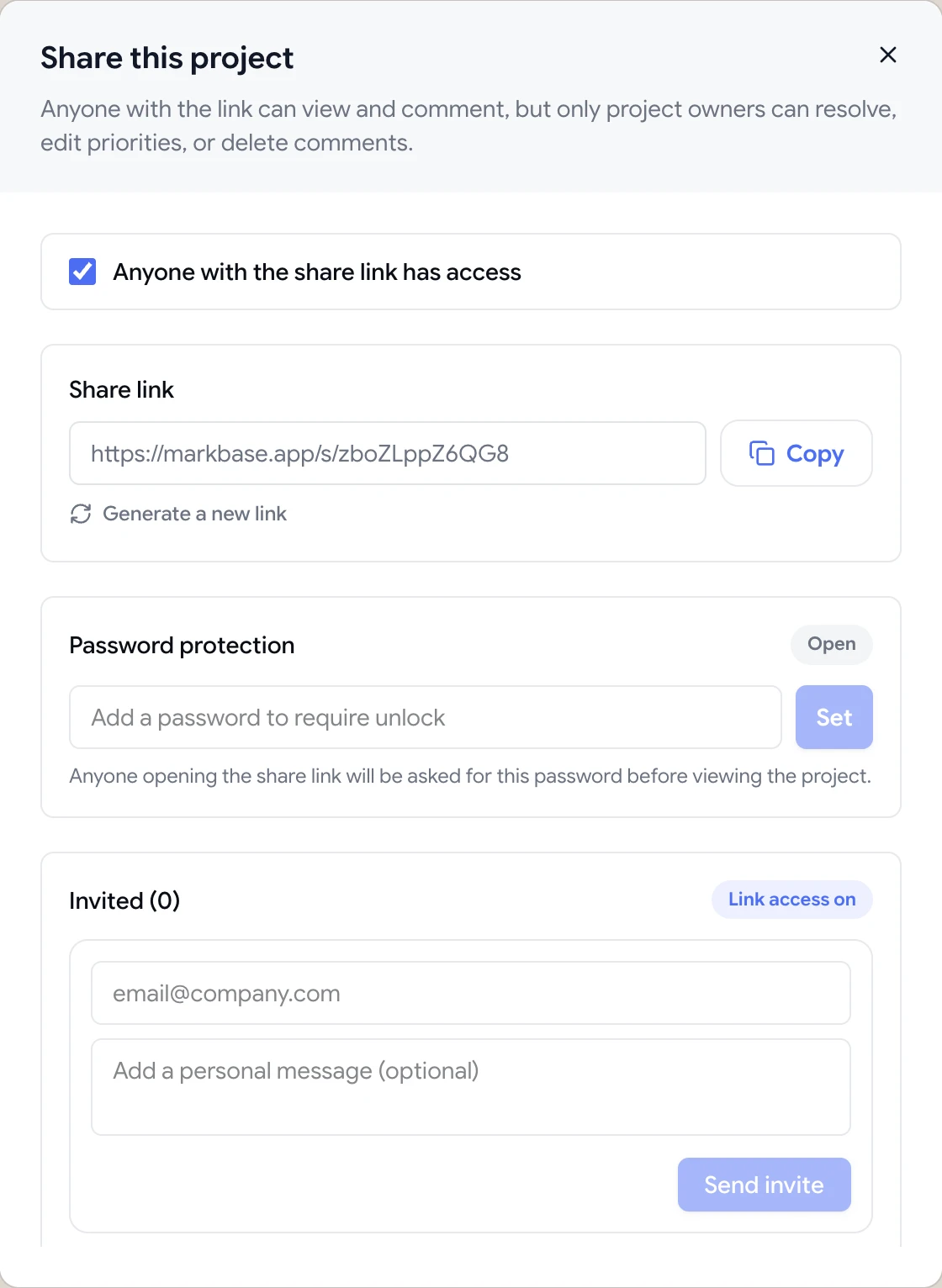
Share dialog with the guest review link, password protection and email invites
The problem

Agency approvals don't scale over email

  • Every client sends feedback a different way.
  • No single view of which projects are waiting on the client.
  • Feedback from different rounds blends together.
  • Account managers re-type client feedback into the project tool.
  • When a client disputes a change, there's no record of what was agreed.
Highlights

The same process for every client

Folder per client

Group each client's websites, PDFs and images, and archive projects when they ship.

Client role

Retainer clients sign in and see only the folders you've shared with them.

Guest links

One-off reviewers comment from a link, with no account.

Review rounds

Pause comments between rounds and finish each review when it's done.

Task sync

Comments become Jira, Asana, ClickUp or Trello tasks automatically.

A record of every request

Resolved comments stay on the project, so you can see what was raised and fixed.

Organise by client, not by inbox

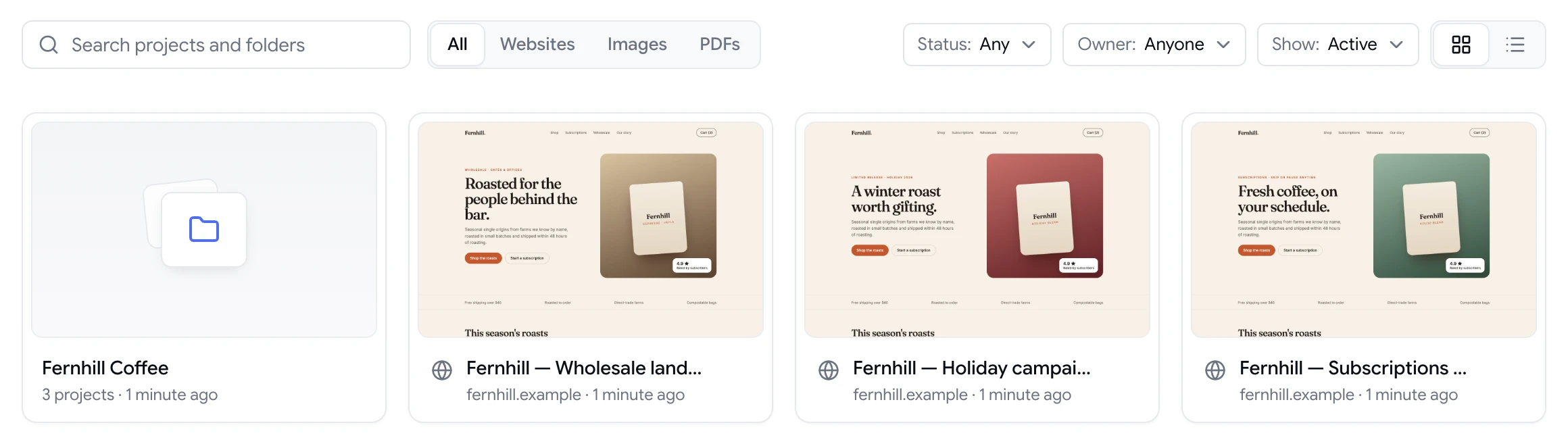
Create a folder for each client and add their projects: the staging site, the brand guidelines PDF, the social graphics. Your dashboard shows every project with a live preview, and you can filter by type or status to see what needs attention.

When a project ships, archive it. It stays searchable, but it's out of the way.

  • Folders and archived projects
  • Search and filter the dashboard
  • Website, PDF and image projects
ClientTweak dashboard with a client folder and website project previews

Give clients exactly the access they need

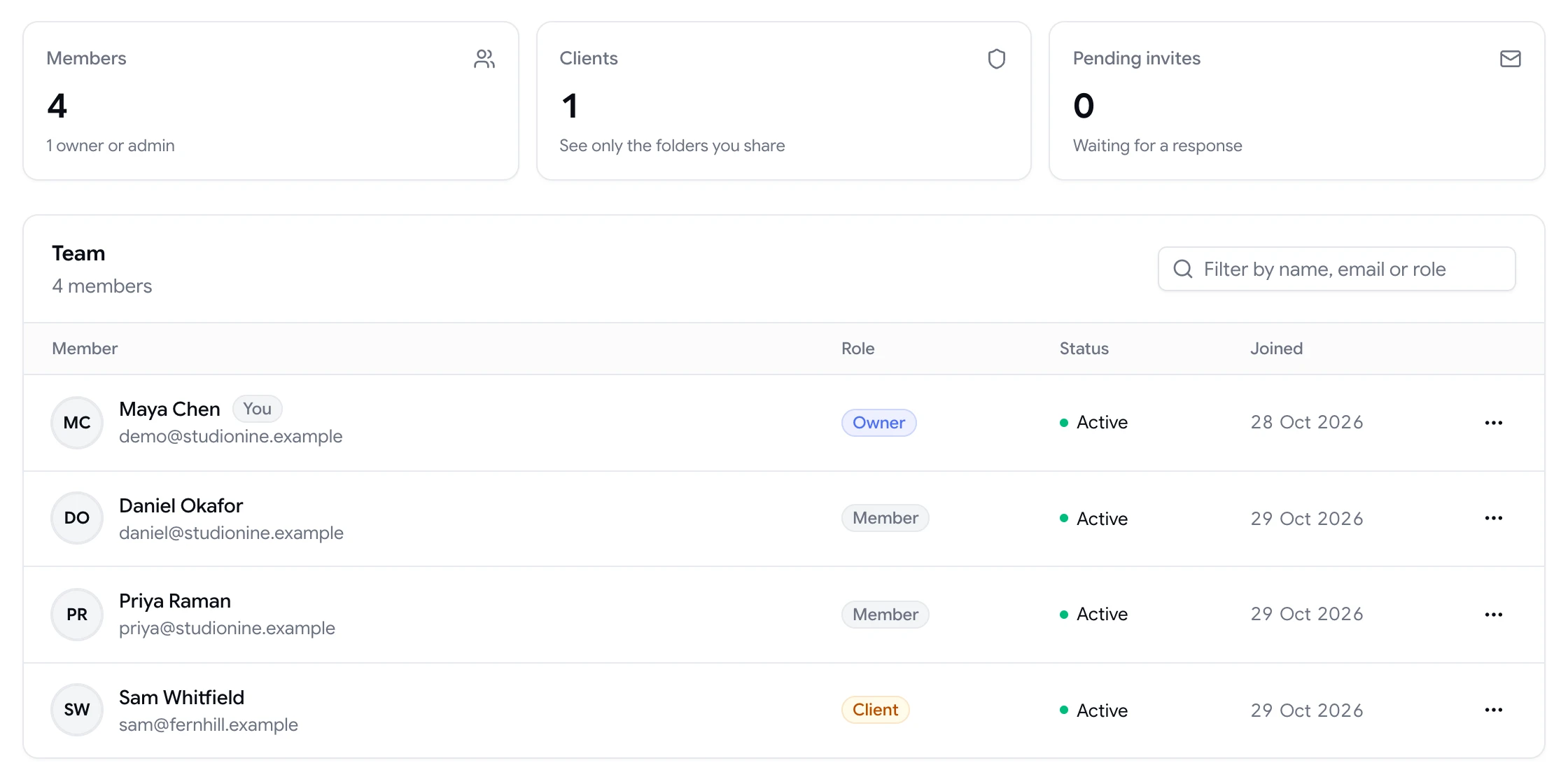
For one-off reviews, send a guest link. For ongoing clients, add them to your workspace with the client role. They can sign in, see the folders you've shared with them, and comment, but they can't see other clients, your team settings, billing or integrations.

  • Owner, admin, member and client roles
  • Folder-level client access
  • Unlimited members and guests
Team page showing workspace members and a client with their roles

Rounds with a beginning and an end

Open a round by sharing the link. While your team works through the feedback, pause comments so new requests don't arrive mid-fix. When everything is resolved, use Finish review, and start the next round when you're ready.

Every comment, reply and resolution stays on the project, so when a client asks “didn't we agree on this?”, the answer is on the page.

A comment thread with replies, pinned to a button on the page

Setting up ClientTweak for an agency team

Most agencies start with one workspace for the whole studio and a folder per client. Add your designers, developers and account managers as members, and they'll see every client folder. Keep admin rights with the people who manage billing and integrations.

Connect your project management tool once at the workspace level. Then decide, per integration, which list, board or project new comments should land in, so client feedback reaches the right team without anyone copying it across.

For each new project, create it in the client's folder, share the link with the client contacts, and agree a review deadline. When the project launches, archive it so your dashboard stays focused on active work.

  • One workspace, a folder per client
  • Members for your team, client role for clients
  • Integrations set up once
  • Archive projects after launch
How it works

The ClientTweak agency workflow

  1. 1

    Set up the client

    Create a folder and add their projects.

  2. 2

    Open a round

    Share the link or invite the client's team.

  3. 3

    Work the feedback

    Assign, prioritise and sync to your tool.

  4. 4

    Finish and archive

    Close the round, then archive on launch.

FAQ

Frequently asked questions

How should an agency manage client approvals?

Use one consistent process for every client: feedback in one place, pinned to the work, organised in rounds, with a record of what was approved. ClientTweak is built around that workflow.

Can clients only see their own projects?

Yes. Guests only see the project they were sent. Members with the client role only see the folders you share with them.

Can we export feedback?

There's no export today. Feedback stays on the project in ClientTweak, and you can send comments to Jira, Asana, ClickUp or Trello as they're created.

Does it cost more for each client?

No. Every plan includes unlimited workspace members and guest reviewers.

Can we pause feedback between rounds?

Yes. Pause comments on a project while you work through a round, and use Finish review when it's done.

Can we have more than one workspace?

Yes. You can create several workspaces and switch between them, for example to separate two brands or business units.

How do we know which projects are waiting on the client?

Open a project to see its active comments and whether the latest review round has been finished. Pausing comments makes it clear when the ball is in your team's court.

Get started

Start your next review today.

Pin feedback on live websites, PDFs and images, and turn it into work your team can track.

  • Unlimited guest reviewers
  • Nothing to install
  • One flat price